Better late then never i guess😅
Finally! Just hope this was a blip and QPR2’s source code is released shortly after it drops for Pixels.
Very excited to upgrade to a P10 pro when Graphene support comes around.
It’s not immediately clear why Google delayed the source code, but the timing of its release — right after the November 2025 Pixel Drop — is notable. Perhaps the QPR1 code contained clues about the new Pixel Drop features or the company’s Android PC project, which it wanted to keep under wraps until the recent Snapdragon Summit tease. Whatever the case, we’ll be scouring the Android 16 QPR1 source code to learn more about all the changes Google made since the initial Android 16 release.
Speculation aside, I would not be surprised to see how Android Desktop may want them to delay the release of QPR1
Super excited for desktop mode
Very nice to see. With the December release of QPR2, November was the last month for them to publish QPR1 if they didn’t want to kill AOSP. Glad to see AOSP is still alive, even if hurt.
Android Desktop is like the worst kept secret at this point. A lot of ChromeOS tech has been making its way into Android since 2023, and journalists like Mishaal Rahman, who have a large following in the Android community, have written about it since 2019: https://x.com/MishaalRahman/status/1189995166066720769
In fact, a couple projects like BlissOS cropped up to productize & sell the then half-baked “Desktop mode”.
That said, probably the code may have revealed crucial details about the “Android PC” hardware which Google may have wanted to keep under wraps, but who knows … 
Google is literally leaking their own device. I really don’t think they care much about it
Can’t wait for the GrapheneOS team to port it, excited for Material 3 Expressive.
GrapheneOS’s stable channel has received Android 16 QPR1 
Can confirm. Just updated mine. Nice and shiny!
Same, felt like something was different with my phone this morning. 
But it’s shiny for sure. 
A little colorful too. I have yet to go into all settings and whatnot to see what’s new.

Cool. Do you know how to revert back to non translucent look in the notifications page when you pull down?
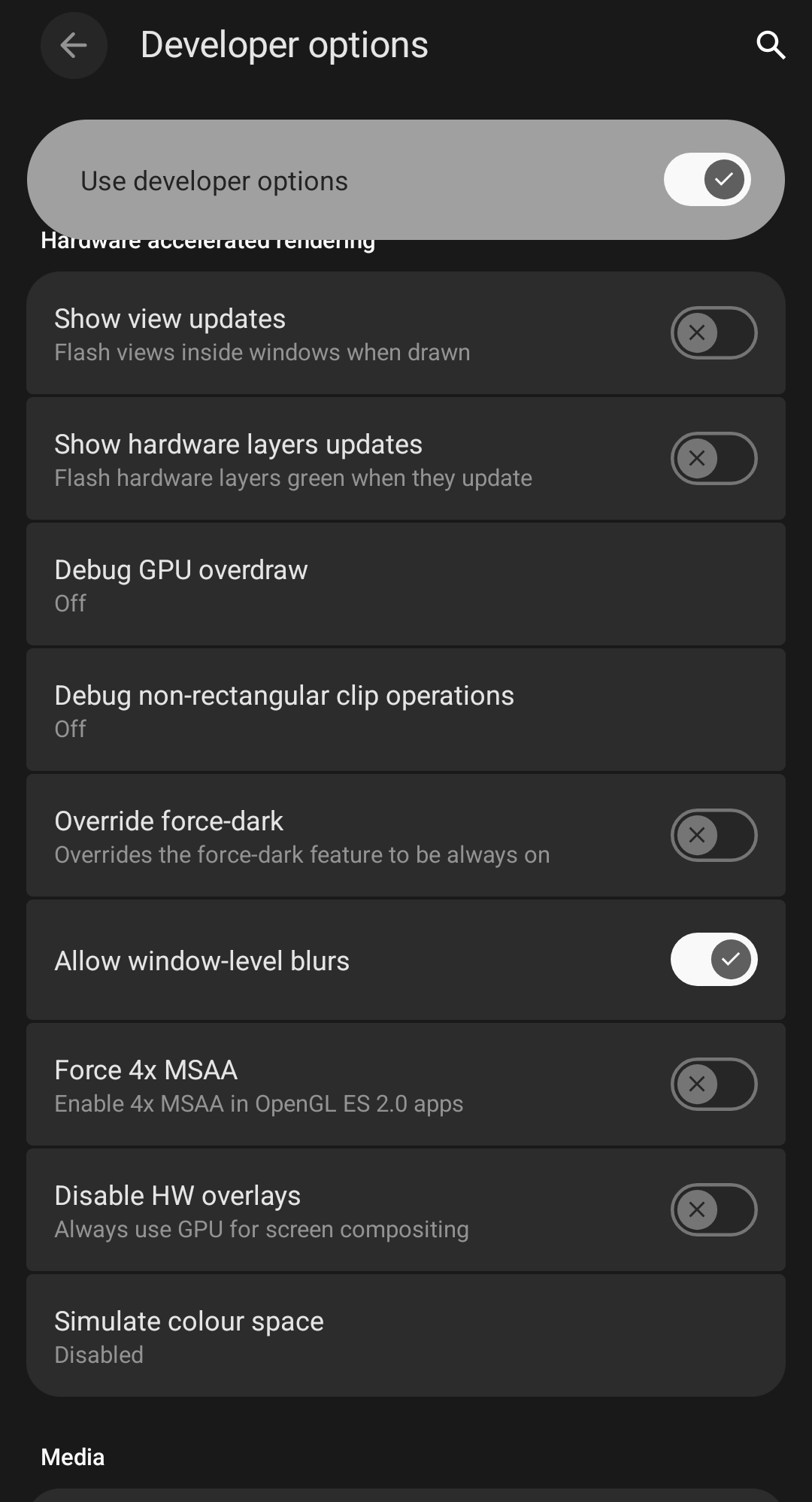
There will allegedly be a (non-dev options) toggle for it in QPR2.
That’s good. Diving into dev options feels a bit much and unnecessary for a simple thing like this. Thanks for updating.
Enabling Battery Saver disables the blur, if that is a solution for the time being.