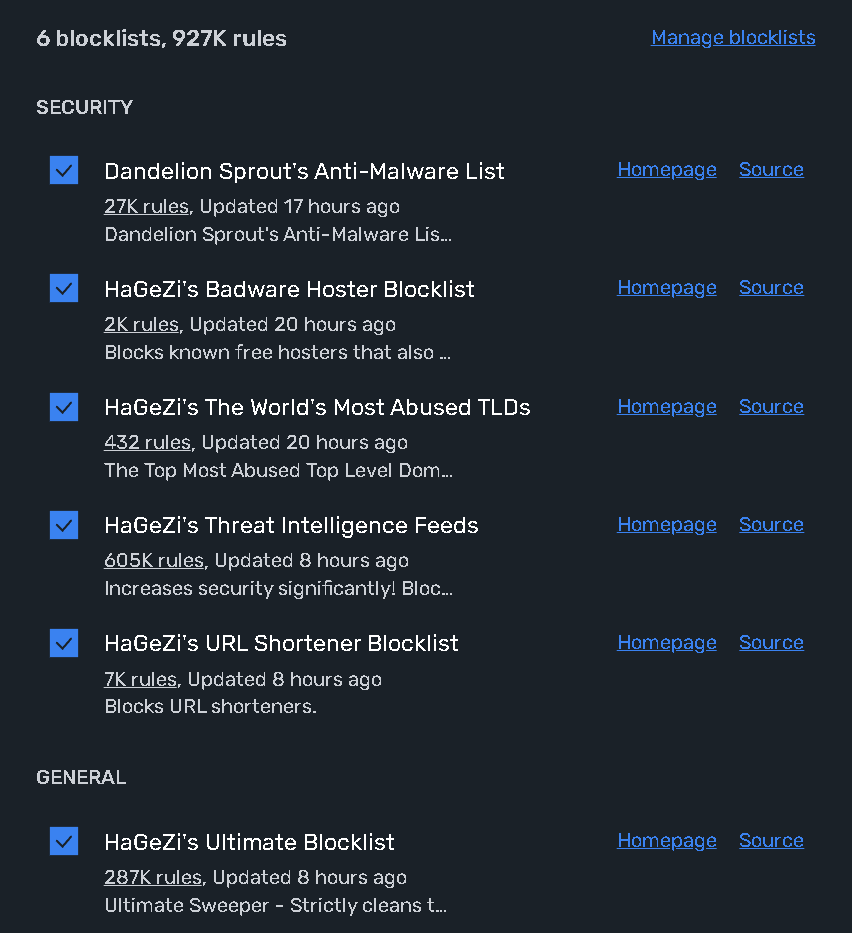
I went down the rabbit hole a few months ago and had a bunch enabled before I realized it was slowing down my router.
One Linux friendly solution is to download the blocklist files, sort them and then compare their contents to see how much overlap is present in the blocklists and remove the lists that are redundant:
That’s what I thought, but what about at the DNS level? Would the attack surface area be as big or smaller? I was thinking of letting NextDNS handle this.
NextDNS takes that matter into its own hands. Like my comment above, it’s the preferred way of blocking domains. You don’t have to lift your finger. And the chance of exposing attack surface is very thin. I don’t know what’s the reasoning behind it, like - malicious rules to redirect google.com domain to a malicious resource? Most of these providers have verified blocklists. It’s also why I still stay by Mull, they publicly show their blocklists in the usage: GitHub - mullvad/dns-blocklists: Lists and configuration for our DNS blocking service
Switching from NextDNS to AdGuard went super smoothly and painlessly. It really feels like the first one is 10 years behind the times, and there haven’t been any updates or even new lists in a really long time, even though lots of people on the forums have been asking for years. Well, I hope many others make the necessary switch too. I probably would have stayed if they had at least added HaGeZi’s TIF, but nope. You’re supposed to trust their own list, which is closed-source, and you have no idea when it was even last updated.
I use Hagezi’s Ultimate blacklist for Unbound; this applies network-wide.
On my main rig, I alo run uBlock and uMatrix. I configured uMatrix to block all third-party domains by default and I manually allow CDNs and other dependencies. At this point in 2025, it seems to be easier to whitelist than to blacklist. The amount of unnecessary scripts loaded by many websites (in particular news websites) is downright scary; this is all blocked.
Pro++ and TIF are on my General profile for everything, plus other blocklists configured to each member of my household. I have also set Control D’s own blocklists for General blocklist
Hello everyone, how can we add Hagezi list inside AdGuard on MacOS? On Native Tracker - Broadband tracker of devices, services and operating systems section, there are different categories on the specific line Apple (iOS, macOS, tvOS) (AdBlocker, Domains, etc.) with diffferent sub categories (GH, GL, GB). Which one do I have to choose?
I use a large assortment of blocklists, and I always choose the most aggressive version if given the choice.
On pages I decide to override, in uBlock Origin, I use “Open the logger”, refresh the page, and selectively allow the blocked assets. After performing the steps two or three times, it becomes second nature.
Admittedly, I miss using uMatrix (deprecated) playing the ‘tile game’ to get a site working with temporal graylists.