They each have their own DNS?
Most of what I am using is based on Mullvads blocklists. I am also using Perflyst lists for TV and IoT devices and, the FMHY filter list.
Trying to find a balance of privacy and compatibility as I am not the only user on my network.
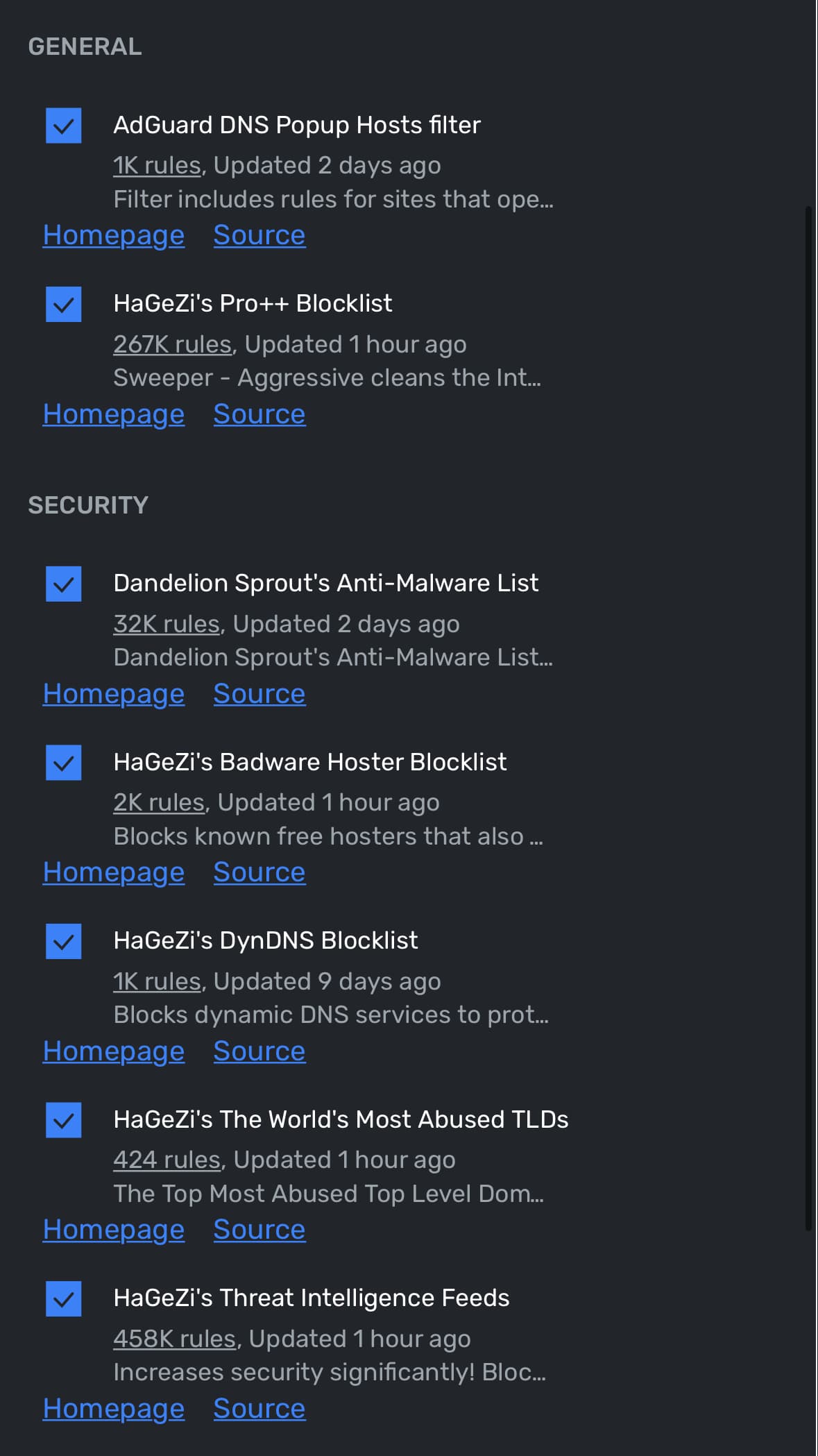
I also forgot that I use that Smart TV list!
I just use the ones recommended on the uBlock Origin wiki (I have it set to hard mode).
- All of uBO’s own filter lists
- EasyList
- EasyPrivacy
- Peter Lowe’s Ad and tracking server list
- Online Malicious URL Blocklist
I then also add the following to my rules:
* * 3p block
* * 3p-frame block
* * 3p-script block
* challenges.cloudflare.com * noop
However, that last bit does break a lot of modern sites.
What do the 3p ones do?
Fanboy’s Annoyance List
HaGeZi’s Threat Intelligence Feeds DNS Blocklist
HaGeZi’s Ultimate DNS Blocklist
Dandelion Sprout’s Anti-Malware List
Dandelion Sprout’s Anti-Malware List (Domains list version)
BadBlock+ (ABP)
They block 3rd-party content, 3rd-party frames, and 3rd-party scripts, respectively. The fourth rule unblocks Cloudflare CAPTCHAs.
In Librewolf:
Built-in.
Ads - Easylist
Privacy - EasyPrivacy, Actually Legitimate URL Shortener Tool, AdGuard URL Tracking Protection
Malware protection, security - both
Peter Lowe’s
Cookie Notices - all 4
Social widgets - none
Annoyances - Easylist Newsletter, Easylist Notifications.
Ironfox/UBO, for the most part, has the default lists. I think one of the BadBlock+ lists was giving me false positives so I turned it off.
At first, I suspected that “BadBlock+ (ABP)” was giving me false positives, too.
In another post, I saw someone mentioning a URL beginning with the following:
hxxps://www[.]neowin[.]net
I have visited Neowin for over twenty years and never thought anything about it.
“BadBlock+ (ABP)” blocked Neowin. I thought it was odd, but I then had Hybrid-Analysis scan Neowin:
What I saw meant that Neowin continued to be blocked, and “BadBlock+ (ABP)” was then seen in a more positive light.
Thanks for this.
I just looked again and BadBlock+ list is active. I recently reinstalled Ironfox and didn’t disable that list this time around. I’m going to leave it running. So far, I haven’t had a problem.
Excuse me, but isn’t using so many lists exposes attack surface e.g. malicious rules?
HaGeZi’s Milti Pro++, HaGeZi’s Threat Intelligence Feed, and ublock anoyances.
You raise an interesting point.
Is it more dangerous to risk malformed blocklists, or it more dangerous to operate a Web browser with reduced protection from known bad actors?
Yes, there could be trade offs.
I think it’s much better to enforce blacklists like Hagezi’s at the DNS level. This way the entire network benefits, in particular the Ultimate blacklist will prevent Internet-of-Shit devices from calling home. But you can go further (as I do) and filter public DNS domains, the DNS over TLS port and known public DNS IPs to force devices on the network to use the local DNS server as much as possible.
That being said, I still use uBlock to strip out (empty) ad frames, other annoyances such pop-ups, and Youtube ads. I also use uMatrix and block all party content and scripts. (I believe this approach is now somewhat deprecated, and can be done within uBlock; I just like the uMatrix interface better.)
Default ubo list, plus i enabled the 3 disabled annoyance filter and added the same i used on my adguardhome server:
- Hagezi multi normal.
- Hagezi threat intelligence feed.
- 1hosts lite.
- Oisd full.
- Fanboy ultimate.
- Hagezi referral whitelist.
Thanks, everyone! I prune a lot of smaller lists that no one was mentioning, and went for a stricter version of the HaGeZi I had.
Keep the recommendations coming if u have more!
uBo hard mode with its default filter lists in addition to
- Legitimate url shortener tool
- Dan pollock’s host file, block outsider intrusion into lan, phishing url blocklist which are ootb in ubo.
I’ll try lists from others with Rethink DNS. Opensnitch supports most lists too.
they just block 3rd party content