I know if I want privacy use linux lol. My threat model is minimizing data sent to Microsoft, I know Windows will never be private.
I’m just wondering if Windows spy blocker is still good at this point as it seems like nothing has been updated in 3 years on it. I know its list are built into simplewall as well. but I just want to have the list added to windows firewall and keep it simple.
I’m using IOT Enterprise LTSC 2024
Many of the settings I want to disable I used Shut10++ and was thinking of adding Windows spy block into the mix along with DefenderUI. Maybe even adding Hagezi native.winoffice dns block list to the host file. One day I will build a piHole
If you are using LTSC, SpyBlocker and every other Windows “Anti Spyware” tool including ShutUp10 is completely redundant and thus useless (and arguably, they are even useless on other versions of windows as well, such as consumer versions).
Microsoft Group Policy Editor on enterprise versions, including LTSC, allows you to disable ALL telemetry, including the ones that are normally required on other versions of windows. You can find out more by checking these pages:
It is generally ill advised to use any custom windows tool, as they are
A. Often made by people who have no idea what they are doing and can thus break stuff
B. Having completely different definitions of what is “bloat” and “telemetry” and thus end up disabling and removing stuff that would actually be useful to you
C. Can easily be used to hide malware and infect your system.
It’s strongly recommended to just use the registry editor, group policy editor, and the command prompt to configure windows instead, since you will be the one making the changes directly, and thus can customize windows exactly to your needs while also ensuring nothing malicious is added and nothing breaks.
You can read exactly what policies they suggest to change, and you can just choose to not change them if you don’t agree with them.
The same cannot be said about the many scripts and programs that claim to “remove all telemetry” and “debloat” windows, which often change a bunch of stuff without showing exactly what it is changing.
Excellent advice, especially for those who don’t understand what to change.
As a result, the first guide doesn’t cover all the telemetry because of security panic, while the second one actually breaks things.
But you can choose what to use. privacy.sexy shows full script and has open source code.
I do understand that 3rd party tools are not recommended. I will say in the past I’ve used W10Privacy and have never had an issues with things breaking. I want to get away from using that as it does always get detected as malware. And now a days I pretty much only setup Enterprise edition and now looking into LTSC. Personally I would love to just create some sort of settings file for LGPO, I just don’t have the free time to do all of this in my current situation. and that’s when I came across Shutup10++. simple interface and has all the settings I Want to turn off. and its pretty much using stuff from registry editor and group policy editor. I can live with that.
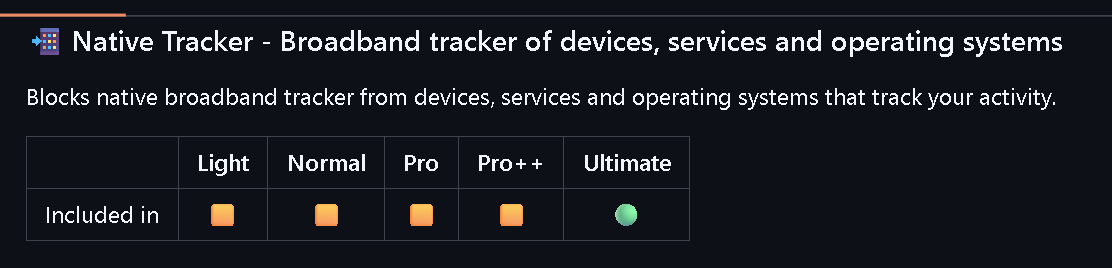
My main thing is using the Windows spy blocker list, Which is built into the application simple wall if I want to use that. My concern is the list seems it has not been updated in 3 years. I’m just thinking to myself is this even relevant anymore, or should I be looking at a DNS block list like Hagezi.
DefenderUI, seems to make windows Defender better, or harden it give you more options. I have 2 Malwarebytes life time licenses. But I feel like MWB what has it really found in all these years I get more pop up ads from it and it seems to have gotten more bloated. I think Defender would be more then enough and if I harden it and use common sense I should be fine.
That’s why you need to have several different layers. For instance, using Simplewall, privacy.sexy, and NextDNS together, when they are configured CORRECTLY, is a good start.
I can recommend customizing the system via gpedit, then saving these settings using LGPO. Using schneegans unattend-generator, you can further configure necessary settings and import your own policies via LGPO, applying them during unattend setup even before the system starts. Or you can do this by modifying the ISO image. This way, the system won’t even be able to collect any logs. After the system starts, go through system settings, configure the rest, and use firewall for better control.
How did you get LTSC 2024? You can’t have privacy without security, and even if a script from a certain “grave” is safe, it doesn’t mean the iso you unlocked with that script is safe.
Thanks Blackbird, that pretty much what I was thinking, except simple wall just using Windows Spyblocker and using the windows firewall, I plan in the future to setup and piHole and use something like Hagezi. I was even think in the mean time using his list for windows and office on the host file for now. Until I am able to setup a piHole.
Privacy.sexy I’ve tinkered with a little on a VM looks awesome but I think that will take me some time to figure out.
A certain “grave” does have a site you can get .iso from. Although I have one other test I will try for myself the same way I have always made an Enterprise .iso
Download media creation tool from Microsoft
Then run a admin CMD prompt and go to the media creation tool location and then run the following command.
I ran Windows spy blocker because why not? Even if it might be redundant, I don’t see the negative side of it. It only adds rules to your firewall as far as I understood.
Exactly, what I was thinking. Its even built into simplewall, which looks great but a little much of what I really want right now. I’ve been playing with that in a VM to see if I really want to deal with that.
My main concern was it hasn’t been updated in 3 years is it still relevant. Still a layer that doesnt hurt though.
That was my concern with spy blocker not being update in a couple years. I mean it is just firewall rules and they can be removed.
I think my future goal will be setting up a piHole, I’m even thinking of trying out Hagezi’s winoffice block list in the host file in the mean time. I may tinker with that in a VM first.
oh I’m sure it would be, But right now I don’t have anything I can setup to make a piHole and use that block list. So at minimum I was thinking why not just use Winoffice block list in the host file Until I do setup a piHole.