I need a comprehensive knowledge tool for a private project and came across Obsidian and Logseq.
Basically, I don’t store any sensitive data in the project, so Obsidian would be an option for me despite its proprietary code. According to my research, this seems to be the only point of criticism.
However, I then came across the open source alternative Logseq. What are the criticisms I need to be aware of? It is not E2EE, but this is irrelevant due to local use, as I encrypt my data anyway.
Does anyone have any experience with this (preferably in relation to your thread model) or would anyone advise against it? The alternative to both options would be to create a normal folder structure and create individual documents with LibreOffice and link them to each other.
I’ve been using Obsidian for the last 3 years, and recently tried Logseq.
I prefer Obsidian because it feels much bare-bones in the beginning, so it has less distraction on you knowledge-management. I don’t like the idea of putting every organizing-tool (e.g. calendar, tasks, flashcards) into your knowledge-management workflow. This is what I saw when trying Logseq. It feels more like an app, while Obsidian is more like a notepad (while still having endless opportunities for extensibility).
As for privacy&security, yes - Obsidian is not open-source, but since it’s an Electron app, you can inspect the (minimized) source code (not backend logic ofc.) via in-app devtools (what I’m doing occasionally when working on my plugin).
The are some security concerns regarding using the community plugins system (as plugins only audited on initial release), so I’m trying to keep them minimal (as I learned - simple no-frills workflow is better for your mental health and productive knowledge-management).
Also, if applicable for your use case ,sandboxing the app can provide another level of isolation.
I myself currently trying to sandbox Obsidian via Bubblewrap (low-level sandboxing tool). I’m using it locally only (currently no sync, but I may try Syncthing if needed), so I want to try disable network access also, and see if it breaks any crucial features (as for plugins updates - as I don’t use much of them, it’s fine for me to update manually from time to time).
I’ve deeply researched this topic recently also, and didn’t find any notable concerns regarding Obsidian (besides being “closed-source”).
The main concern for me (regarding Obsidian) is that it’s over-hyped and the community madness I see about creating complex plugins-heavy workflows, may lead to the app became bloated with features, which means degradation on quality and reliability.
So for now, I’m trying to keep my notes as much plain Markdown as possible, to avoid vendor lock-in.
Logseq’s RTC sync server, if you use it, has not been open-source. But according to this Discord post, they’ve shifted back to a FOSS approach:
my understanding is that the current sync is open source and includes RTC, the publishing feature, and can be ran through cloudflare or self-hosted fully through nodeJS
Last time I had been looking into it, the RTC sync server was the only non-open-source aspect, so that’s good news.
That said, I’m back to using FSNotes lately, and considering moving to Notesnook
Have you tried and went all the way with Obsidian?
I have not tried Notesnook myself by when I see the Excalidraw plugin for Obsidian and all the powerful things tied to it, I hardly see any competition.
And that’s only 1 out of hundreds of nice ones.
If your needs are super basic (like Google docs), then sure why not go for something else.
But Obsidian is unbeatable for a reason as of today.
I understand Obsidian has a vast array of capabilities and plugins. @predict9320 just said they’re interested in building a knowledge base and connecting things, which leaves open just how complex and capable an app they need. An app that has searchable, interlinkable notes is enough for some people. For others, a powerhouse like Obsidian is more needed. I tend to get distracted by the options of apps like that, so for me, there are benefits to the constraints of a simpler setup.
You can also link entries bidirectionally in Notesnook. Unfortunately, in my opinion, this is only a very simple feature and not powerful enough to manage large projects. The folder structure (which works with many levels) is also too simple for this. Above all, it lacks the graphical and visual presentation that is useful for large projects.
actually, for me Obsidian feels great in that sense because it allows you start with a very minimal setup and incrementally add features as you need them.
When you start using it - you have just plain folders and Markdown notes. And the UI is pretty minimal.
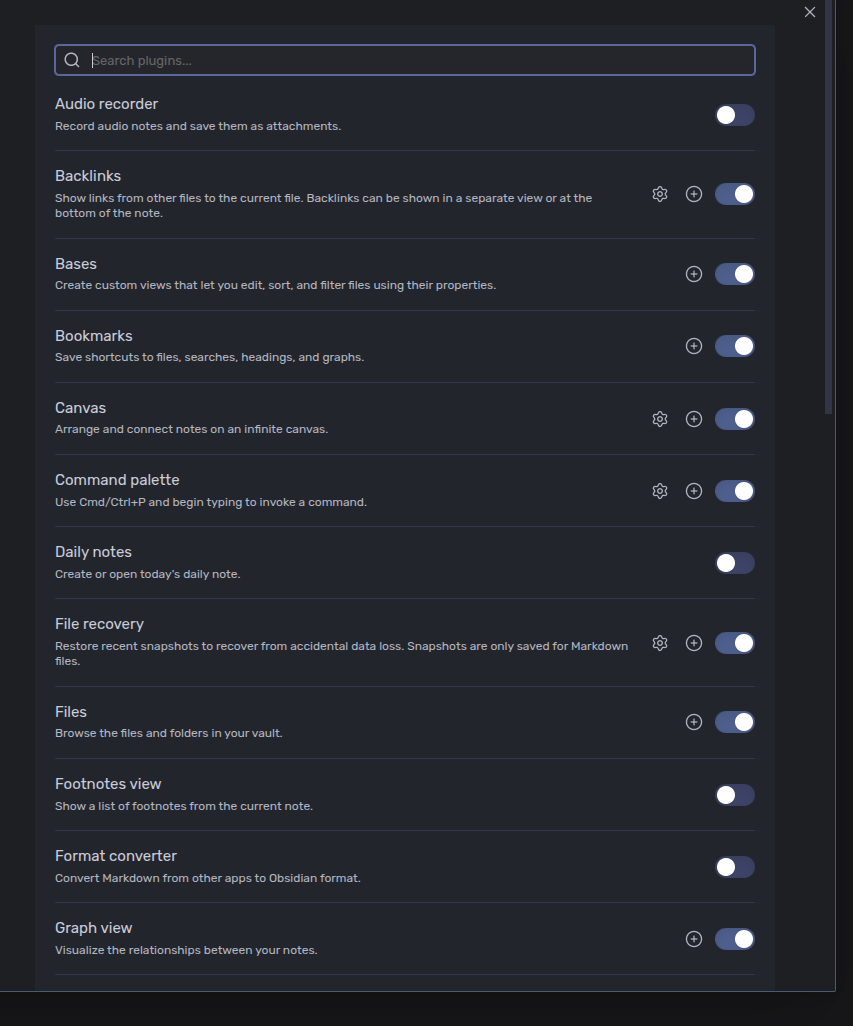
Most fancy things and complexity come from community plugins, so you can avoid them.
As for Obsidian core features, the good thing is that most of these features implemented as internal plugins and you can disable ones you don’t use in the app:
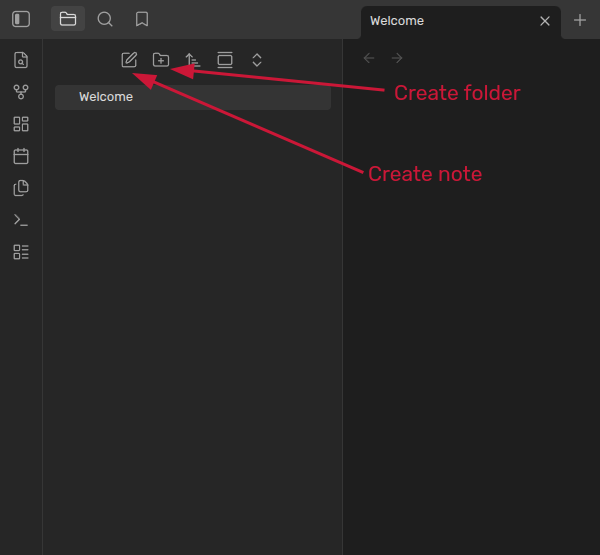
to be honest, I didn’t spend much time exploring Logseq, because I was disappointed from the beginning: it just doesn’t allow to group your notes into folders. Instead, it presents you with the following structure:
As I understand, Logseq has some internal organization structure for knowledge (some say it focuses on graphs, instead of folders), and it basically some sort of vendor lock-in, as it makes it harder to migrate to another tool.
Yes, my opinion here probably is too subjective, but I just don’t see any benefits of switching to Logseq (from Obsidian).
“closed source” is not a red flag for me in this case. You should always consider all your requirements (threat model, usability, how long you plan use it, which customization options available, etc.).
Most of programs I use are open-source, but I have a few good-quality closed-source tool also.
That’s also why people accept Obsidian being closed-source: because it’s just markdown files that you can drag and drop to any other place. No vendor lock-in BS like Notion.
Very sad that Logseq went with their own implementation…
Hi @Borgin. I don’t think there is anything Obsidian-specific when considering installing it as AppImage.
It will depend on your workflow/OS setup. I usually prefer installing programs via OS package manager, and if the program it’s not available here - fallback to building from sources, or AppImage.