GPC is now a legal requirement for many companies. As recently as January 1, 2026, companies that are required to comply must display an indicator on their site that they honored your GPC request. The problem is that GPC is just a “hand raise” to tell the company to opt you out. But are they? In many cases they say they are, but they aren’t.
This is testable, but it’s laborious and even the most privacy-minded surfers can’t be bothered to fully validate a site is working as they say it is.
I was facing this problem as I operated a large website and was face-to-face with the daily challenges of implementing privacy controls, ensuring they were still working, and displaying accurate information to our users.
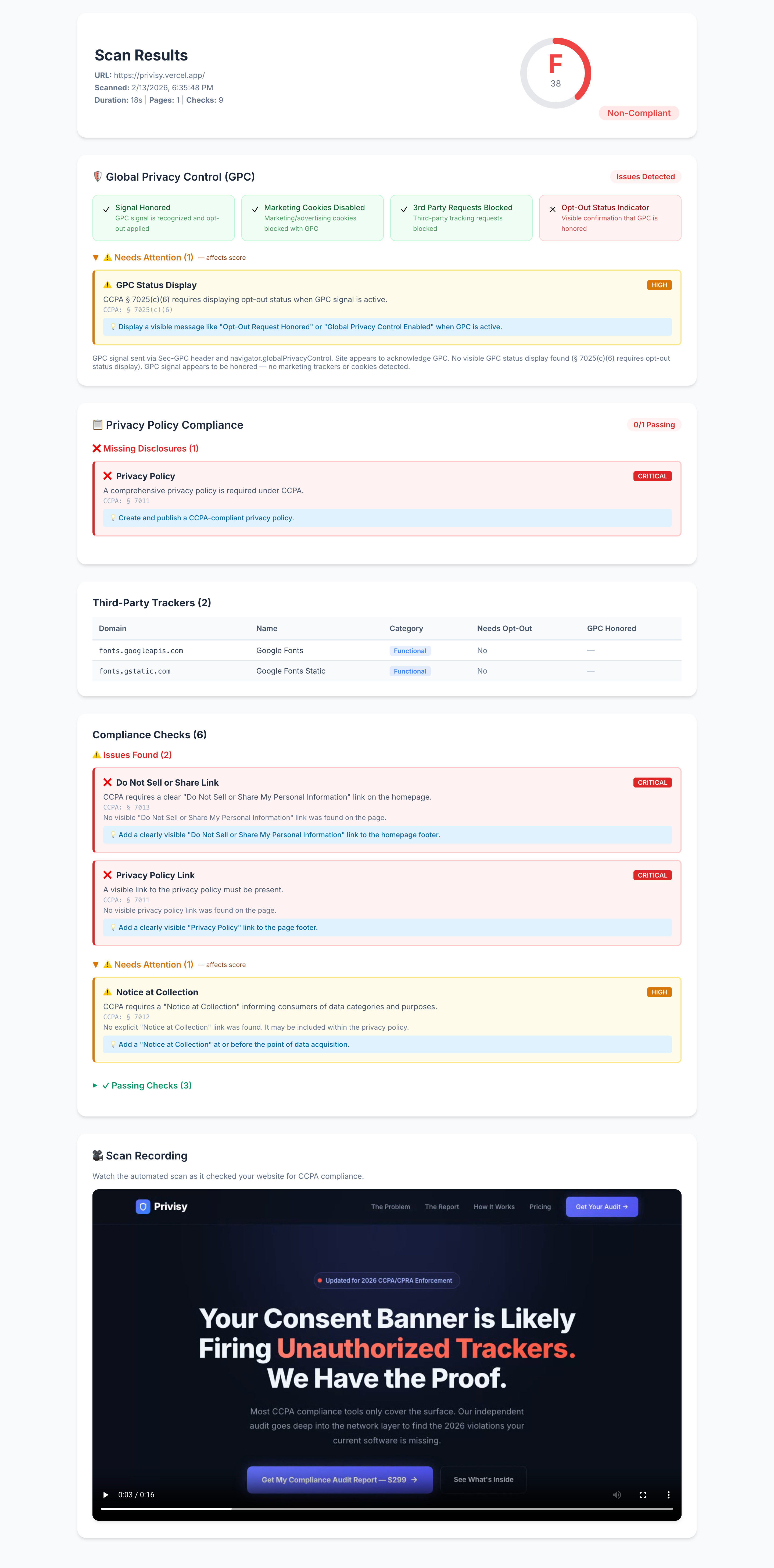
There simply wasn’t a way for me to quickly test whether GPC was being honored at scale. So I built my own solution. I scan a site with and without GPC and log all the trackers, categorize them, and see which are still leveraged with GPC enabled. Immediate red flags.
So I have this tool that’s useful to me, but I don’t know what to do with it now. Is this useful for consumers? Businesses? Regulators?
Or does this tool already exist out there already?
IMO that’s an oversimplification to the point of being wrong. The GPC is a binary preference (either on or off) neither option inherently makes you stand out more than the other assuming there are sufficiently large buckets of users in both camps.
Which side has the bigger “crowd” will depend on the browser. GPC is currently the default for:
Tor Browser
Mullvad Browser
Brave Browser
Firefox in Private Browsing Mode
Cromite
Librewolf
Duckduckgo Browser
Any browser following Betterfox’s template (e.g. Zen Browser)
Any browser following Phoenix’s template (e.g. Ironfox)
IMO the practical advice for users is: if your primary concern is fingerprinting, leave GPC set to whatever your browser defaults to. But if your primary concern is fingerprinting. you are almost certainly already using one of the browsers that enables GPC by default (because you’ll already be using Tor Browser and/or Mullvad Browser).
I don’t have image upload permissions, but you can go to sephora.com and click Your Privacy Choices in the footer and should see a big red line of text (if you have GPC enabled). Or gmfinancial.com in the footer you’ll see, “GPC Opt-Out Request Honored”.
But worth mentioning, all those “we’re honoring your request” indicators just have to be trusted. It’s not a programatic guarantee, but the companies are legally obligated to honor it. Most just aren’t doing it well.
I have begun to notice this, I can’t recall where specifically, but in the last few weeks, I’ve begun to occasionally notice GPC notices on sites.
My recollection is I’ve mostly encountered these indicators in the Tor Browser which probably indicates that my (and your) daily-driver browser’s content blocker is blocking the indicators.
edit: I just did some experimenting, and it seems like there are at least a couple variables.
your adblocker might be blocking the indicators
you may not be shown the indicator if you don’t appear to the website to be in California (It’s the California law that required an indicator by 1/1/2026)
I think it is shown universally on nytimes.com and whitepages.com , whereas giants.com is an example of a website that only shows it when it detects you are in California.
I know most people here trust Brave, but whenever I’ve had it installed, they have regularly changed defaults and also my actual settings. It creeped me out, so I stopped using it.