I researched about the best home security cameras for the past few days because I need one for monitoring and safety purposes. I read reviews on TechRadar, Consumer Reports, and CNET, and they are marking these two as best:
However, I am having trouble deciding which one would best suit my needs and need your expert advice. In my home, I want to cover the front door, backyard, and garage area with good night vision, motion detection, and easy mobile monitoring.So which one should I buy? Any recommendations will be appreciated.
Thanks in advance!
Well, since you’re posting here I’m assuming you’re also asking for the ones that are the most privacy respecting (since you don’t explicitly mention that in your post)?
Sadly, today, there are less than a few options if any for good privacy respecting home security systems and they are somewhat DIY too. No mainstream device is going to be privacy respecting.
I don’t own a home so I don’t have a definitive answer so hopefully someone else can help you out better. But I do recommend searching for what you’re looking for on YouTube and checking out what features and functionality different products offer that are privacy respecting.
Ideally, you’d want a local stream to your computer/phone and the footage not being sent to any company servers or cloud. You also don’t want it to have any “smart” features that connect to any AI. You also don’t want anything that requires a subscription for you to operate them as you’d keep paying to worsen your privacy.
And Ring camera’s are absolutely horrendous for your privacy, FYI.
Do they need to be battery powered? If not, I would go in this direction:
I think the only improvements you can find from this set up will be the DIY approach mentioned above, where you could use Frigate or Scrypted NVR with local-only cameras, but the mobile app situation will be lacking (they have mobile web apps though). Also depends on whether you’re an Android or iOS user.
From a security standpoint, I would not recommend Wi-Fi or battery powered devices if you can help it. There’s been cases across the US where burglars have used Wi-Fi jammers prior to burglaries to take cameras offline. I have a Wi-Fi doorbell camera but its backed up by a hard wired PoE camera that can see the approach to my front door.
In terms of brands, there’s lots of good stuff out there these days. Ubiquiti (as posted above) makes good stuff but I don’t think its very cost effective. If price is not an issue then I would highly recommend looking at AXIS, Verint, and Hanwha/Wisenet. Those brands are what you see getting used on the commercial side for facilities with high levels of security (banks, colleges, prisons, etc). Hanwha/Wisenet (Samsung) has a line of camera called the A-series that performs pretty well for a more budget conscious individual.
Personally, I have my house wired up with PoE Reolink cameras. I think the performance is good for the price. I think my biggest complaint with Reolink is the ghosting during nighttime. It’s a well known issue with the cameras and I think it has to do with the sensors they use. What drew to that brand though was the ease of connecting to cameras outside of my network. My parents, siblings, and myself all use Reolink and we can share our cameras with each other. So I can see my parents driveway and they can see mine as well. Probably not very secure from an IT perspective but it is helpful with looking after elderly parents when you live in a different region.
I tend to recommend that people avoid Hikvision and Dahua, mainly if you intend to connect them to your network. They’ve been caught before sending signals to Chinese servers and both companies have ties to the CCP so they are definitely not very privacy conscious. Many countries have actually banned them from being used on government facilities for this reason. If you isolate them from network access they actually perform pretty well from a cost vs capability standpoint.
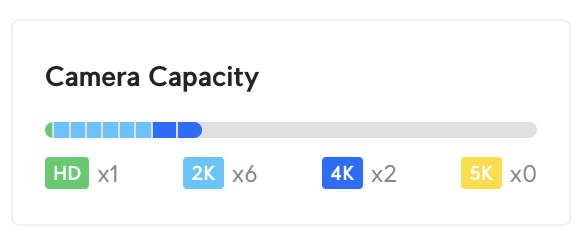
I mean you get what you pay for, but also based on what I linked above, really? If you did camera research a while ago you should look into Ubiquiti’s lineup again, because their recent updates changed everything. (Plus also you can connect Reolink cameras to their NVR now, if you want a security upgrade).
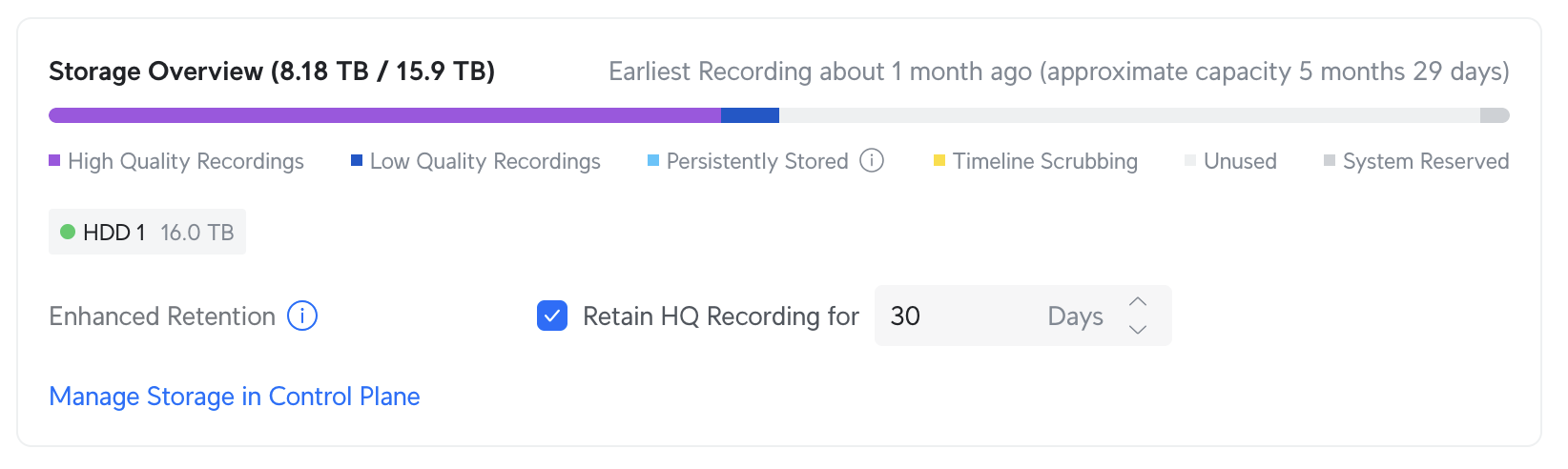
I did not know that Ubiquiti was offering a standalone NVR now. That must be a fairly new addition. That was one of my big hang ups when I was researching their products about a year ago when I installed cameras on my house. I wonder what the maximum capacity of the Ubiquiti NVR is? My Reolink NVR caps at 6tb which gives me about 3 weeks of retention for my 4 cameras recording 24/7 @ 15fps (H265). I see their optional add-ons include 8, 16, and 24 TB drives so I assume it works at least up to that amount.
I might look into this further because I was considering going to something higher quality than Reolink in the near future.
Not everybody is tech savvy enough to do that so its easier to recommend brands to avoid connecting to the network outright. I imagine on this forum most people would have a general idea of how to do that but if I was recommending a camera system for my 52 y/o co-worker who struggles to type an email, I’m probably not going to be telling him to isolate their camera system on a VLAN lol.
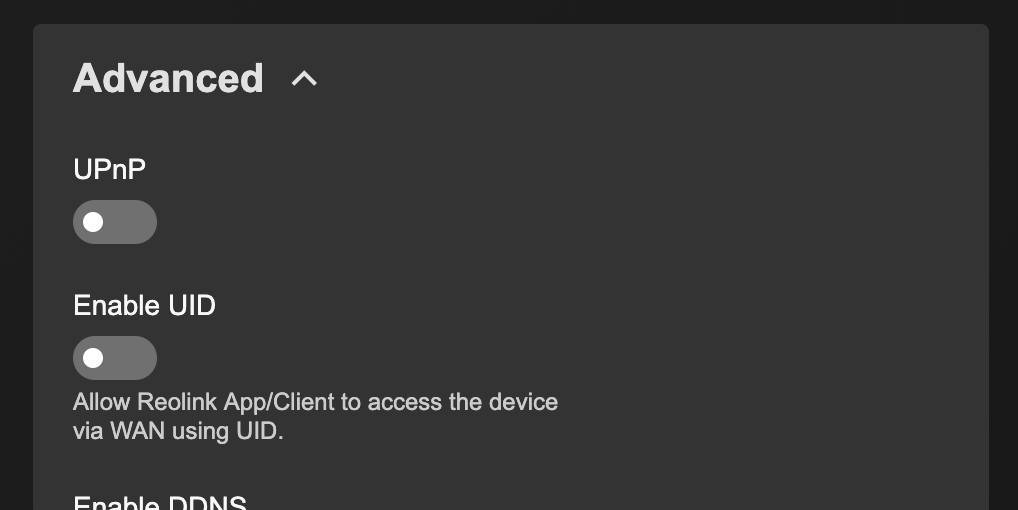
I think a good rule of thumb is any camera manufacturer with a mobile app will do this. I know my Reolink cameras definitely do the same thing. In that specific case it really annoys me how Reolink just calls it “UID,” enables it by default, and doesn’t elaborate at all about how it really links your cameras to their cloud.
I’ve tested both, and for your setup (front door, backyard, garage), I’d go with the AOSU camera. It offers solid color night vision, local storage (no subscription), and the solar option makes it easy to maintain outdoors.
The Ring Stick Up Cam is great if you’re already using Alexa or other Ring devices, but without the subscription, you’ll lose a few smart features.
So, unless you’re tied to the Ring ecosystem, the AOSU camera gives you better all-around value for coverage and performance.
From what I understand, the UID feature is way for ReoLink’s company’s servers to conveniently have non-stop access to your camera. And it’s very shadily named to obscure what it does.
I like ReoLink’s hardware but I refuse to touch their software. I have set up to cameras to have no contact with the internet and their connection is managed by a server with trusted software => I’m not worried about them calling home.
Same, we need to lower the barrier of setting up your own homelab and just have people get used reolink cameras on eBay, then connect it to home assistant.
Agreed, the software I use, while modern, was not beginner friendly to configure and there are still aspects that are either not fully working to spec or are confusing.
Combined with the entire process of setting up GPUs and OS and all the prereq. knowhow that goes into that — it’s practically impossible for non-IT or non-hobbyists to expect privacy with their home security system.
I was just looking at another thread that seems to be headed in the right direction.
I also highly suggest looking at home assistant and just using your own storage vs buying an NVR if you are technically capable to do so.
This isn’t something accessible to everyone yet, but I’m working on a project to change that to make self hosting something that a community like this (just focused on self hosting) could help with.
Hi this is a great topic and I’m also desparately looking for some answers and advice on this. Meanwhile, I thought I’d link this forum I found which seems to be specialized for this and could also help you or anyone looking if you post questions there