Are there any free privacy friendly tools to add tiled text watermarks to documents?

I need to urgently send some very sensitive documents to an organization and I want to add a tiled text watermark to them, like the picture below:

The problem is, I can’t seem to find any free privacy-friendly tools that allow me to do that easily. It’s of vital importance that my text watermark be tiled.

Can someone please recommend me a FOSS desktop app that allows me to do this easily?

1 Like

The only thing I found is this:

I will have some time to build one myself starting from January because I am very annoyed to not have such a simple thing widely available already.
I’ll do it with the lowest amount of dependencies/build tools and host it on some Cloudflare/Netlify frontend but also runnable with a single local .js file on your desktop if you want a truly offline solution or are into a “zero trust” mood. :hugs:

Hence, feel free to provide me with a wishlist here of all the features that you might want.
Few things I thought about myself:

  • basic text settings like color, size, opacity, (font?)
  • capability to write a multi-line text
  • easily customize the angle of the text (default to 45 degrees)
  • batch processing, like 10 files at the same time?
    • or several .pdf pages (need to see potential concerns about performance/quality here)
  • REDACTED strikethrough (mask some parts of the image?)
  • support several kind of files (eg: .png, .pdf)
  • simple website, no app needed (maybe I’ll add some PWA support)
  • post processing effects, like noise, stripes, etc
  • allow to lock the generated .pdf with a password?
  • advanced things like steganography embedded into the output’ed files?
    • not sure how hard that one might be, never worked with that kind of stuff :skull:
  • having a live preview while applying settings to the canvas

Let me know if you want something else added to this list. :folded_hands:t2:

4 Likes

This was linked here many months ago GitHub - MahoganyTown/OpenWatermark: Simple program to quickly watermark PDF and image files. I have not used it nor looked at its code.

Issue is the fact that you need to have python installed with the few build tools locally. Accessible but maybe not to everybody.

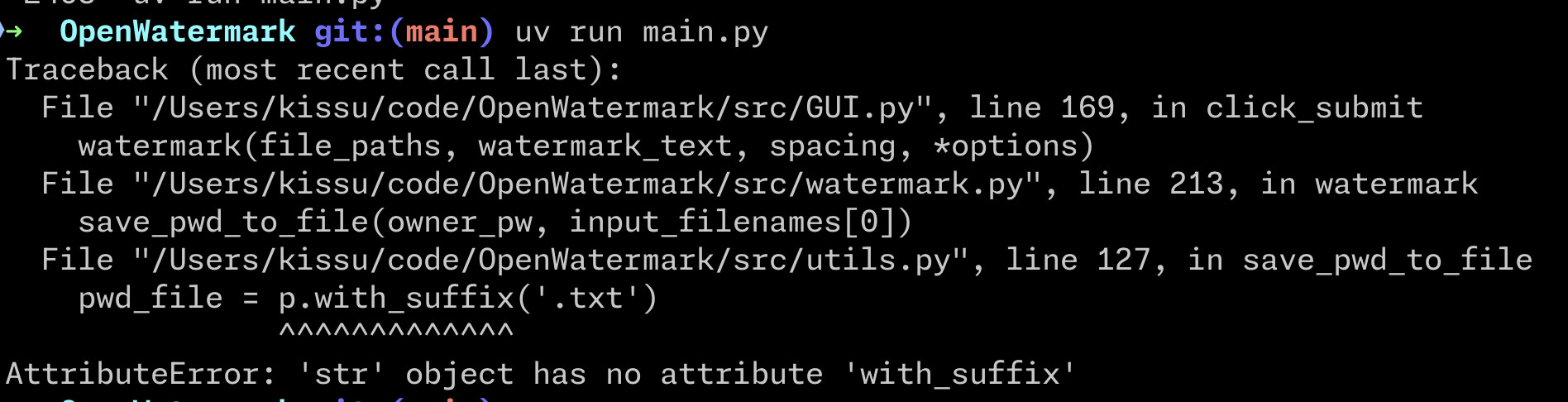
Running uv venv && uv pip install -r requirements.txt && uv run main.py is quite a more accessible approach to get it running on MacOS if not a Python afficionado.
Run decently, but again quite some friction as a whole in comparison to a regular website. :sweat_smile:

The app is a bit glitchy itself and crashed a few times on me while using it

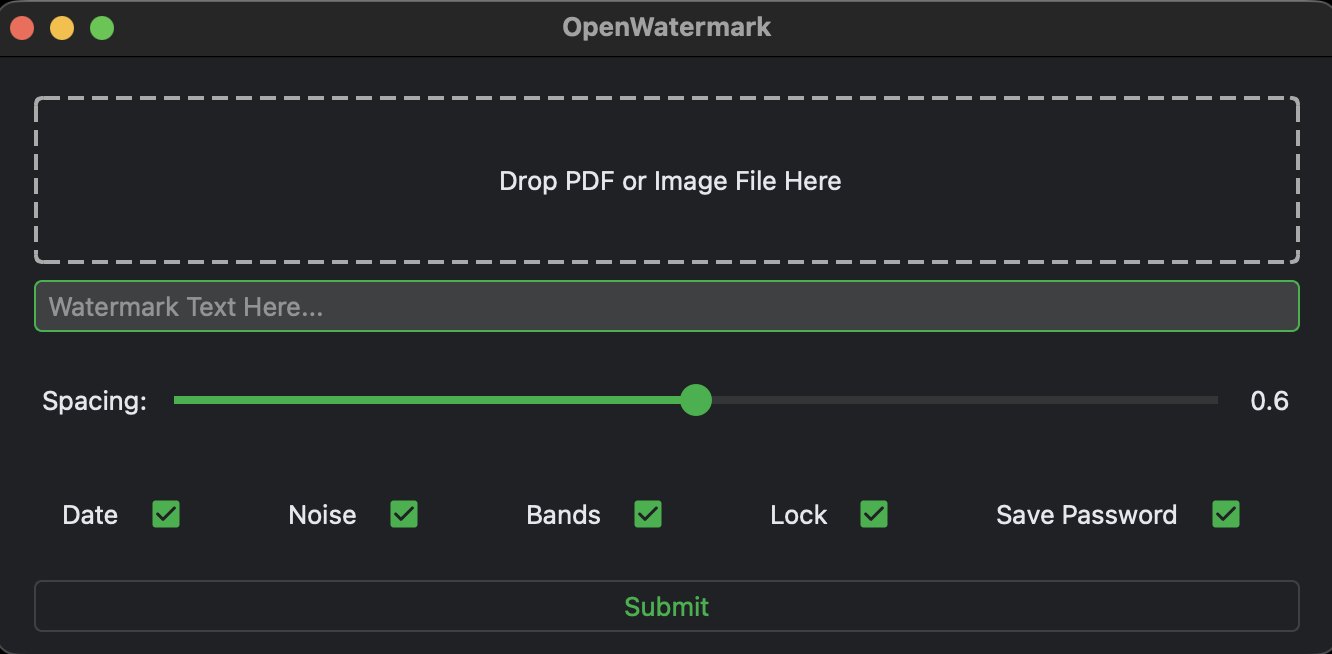
But at least, the GUI has a few features

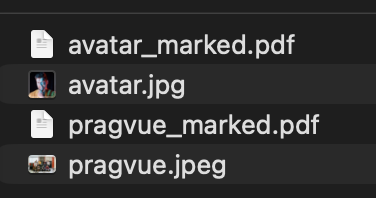
It creates watermarked files in the same directory from where you imported the files from

The result itself is quite good as a whole with the default settings applied

There are no open issues on the GH repo, I don’t know if the maintainer could maybe use some of this feedback to move the project forward but I’ll be doing my own thing on my side anyway.

In the meantime, you can use this tool too. :tada:
Hope my feedback was tiny useful. :hugs:

1 Like

Unfortunately, having to us CLI is too complicated for me, so I can’t use this solution.

I can’t offer a FOSS-option but on Windows there is the program PDF24 which is working completely offline. I’ve used it for years.

Doesn’t work on Linux, however. It also offers the same functionality on the website which I used as a tradeoff as I don’t know any better/easier solution.

Program (offline): PDF24 Creator - Download - 100% Free - PDF24

1 Like

That’s exactly the kind of website I do hate and where I know that all the stuff I’ll uploading, will be going to some kind of server.
Proof in a screenshot.

Quite a subpar, untrustworthy and impractical solution unfortunately.
At least, last in the list of currently available tools.

The watermark is not even that great. :skull:

1 Like

Did you try downloading the software and using it offline?

I don’t think I want to:

  • find out a windows licence
  • install it as a dual-boot
  • spin up a Wireshark to find out that I might be correct

This is overall also quite restrictive of a solution as a whole.
At this point, I can do something quicker on Photopea.

I understand that the program doesn’t meet your requirements, but we don’t know which operating system OP uses.

The program is working fine on Windows and doesn’t upload any file, as it’s working offline on your device.

The website however works by uploading the file to the server which means that theoretically the owner can see all your uploaded files. I don’t recommend that but it‘s an option that is usable for me given the unfortunate situation that there is no better program on linux as of right now. Sorry I didn’t make that more clear before.

I mentioned it because it goes in the right direction and what most people search for.

If there is any better option as of today I would be interested to hear. Otherwise I have to stick to solutions that are compromising privacy in exchange of getting things done.

OP said

Can someone please recommend me a FOSS desktop app that allows me to do this easily?

I hence think it might be fine assuming they’re on the most popular OS. :grin:

Mostly saying that it could be a bit easier, but anyway thanks a lot for the recommendation @Benutzer. :folded_hands:t2:

Image Toolbox for Android lets you add watermarks, including “invisible” ones created through steganography, to photos. You can tweak pretty much everything: watermark type, angle, opacity, tiling, font, size, color, and even choose the output format. Batch processing is supported, too.

It’s a solid piece of FOSS software built with modern libraries and design language, is frequently updated, and offers a host of extra features other than watermarking. If security is important, a mobile app makes the most sense because Android’s sandboxing provides better isolation than desktop operating systems. You can run an emulator to access the software on a desktop if no other solution is available.

You might be interested in this too @kissu

3 Likes

Yeah. That’s why I don’t want to use a website. If a trustworthy site like Proton had such a web service, I would probably be more open to use it, but I don’t want to trust a website I don’t know. A friend of mine recommended an official government website that makes their watermarking tool for their citizens, and literally anyone in the world. They claim everything is deleted after you downloaded your watermarked file, but even if that’s true, I would understand why anyone would mistrust a government website for this.

I’m on Windows and I just tried it. Their desktop app is just a clone of their website. It requires the internet, and you upload your file to their servers. Not good for privacy. I appreciate you for trying, but it’s not going to do it for me. Though it appears to have tiled watermarks as a feature which is a plus.

This is a very impressive tool that I am definitely going to use in the future. I just tried a tiled text watermark on it and it works.

Unfortunately, it comes short with PDF. Watermarks cannot be applied to them which is a huge bummer.

If anyone knows a FOSS desktop app that can do the same as Image ToolBox with PDFs and images, I’m all ears.

I am surprised that such an app doesn’t seem to exist. A privacy company should really get on it and offer it as a free tool with web version, and a desktop and mobile version that don’t require the internet.

1 Like

Head over to the Tools tab and you’ll see PDF Tools, which includes a converter that turns PDFs into images. Does that meet your needs?

There’s also a reverse conversion feature if you later need to package the images back into a PDF for uploading.

Yes, I am aware of this workaround, I can use it for single page PDFs, but with longer PDFs it would be better to have a desktop app that supports the format. But again, I want to thank you for introducing me to this app, because it will be useful in the future, even if it doesn’t meet the needs for the type of task I am trying to do right now.

I have installed this app before haha, just didn’t really had the need for all the photo editing and didn’t realize that the app also had a watermark feature to it.
Definitely a feature fest it is OMG. :joy:

There is still quite some barrier to entry because it’s not universal like a website/isolated script could be but a very nice suggestion thanks! :folded_hands:t2:

Especially with features tools like steganography (might be overkill/hardcore for my own roadmap :joy:).

ff security is important, a mobile app makes the most sense because Android’s sandboxing provides better isolation than desktop operating systems.

I think that privacy with personal passport documents or alike is usually a bigger deal. :hugs:

You can run an emulator to access the software on a desktop if no other solution is available.

Very badass way to handle the situation. Quite some setup needed but people would enjoy running that (for folks using GOS :hugs:).


@PurpleDime

That’s why I don’t want to use a website

If you have a FOSS single script that you have running on a website or locally, would indeed be the best. No server is needed for this kind of task, especially given how powerful phones are nowadays (everything can be done on the client).

I don’t have the bandwidth for it now, but maybe for the next time you’ll need such a tool. :hugs:

A friend of mine recommended an official government website that makes their watermarking tool for their citizens, and literally anyone in the world. They claim everything is deleted after you downloaded your watermarked file, but even if that’s true, I would understand why anyone would mistrust a government website for this.

Yes.:100:
Same, we do have a KopieID here in Netherlands :netherlands: but I don’t feel like uploading things somewhere because I know how things are in bigger companies. :relieved_face:

Their desktop app is just a clone of their website

No reason to have it different from the website tbh, too much work to maintain both so the devs took the lazy way, as expected.
Thanks for saving everybody time and cutting down to the chase. :heart:

Watermarks cannot be applied to them which is a huge bummer.

That shouldn’t be too hard to implement I think but I am also not sure if it’s feasible without any quality loss. But probably no need to send a 250 MB resolution of a passport photo either. :man_shrugging:t2:

I am surprised that such an app doesn’t seem to exist.

Why would someone do that for the free? Poor business model.
Besides Proton or smaller companies like Ente, Addy etc.
It will always be “trust me bro, I delete it from my server afterwards” kind of situation until you’re big enough or know a bit of code to have it done yourself. :sweat_smile:

but with longer PDFs

Oh, supporting watermarks on several pages could also be a good feature too.
Quite more niche of a use case I think but good one, noted on my side. :white_check_mark:

Steganography are invisible watermarks, right?

I read about it yesterday, and it is my understanding that visible watermarks are safer because they are harder to compromise without getting caught. If I send an organization a document with a visible watermark, and they share it with a partnering company with the watermark removed, it will be obvious that they somehow removed it, with the intent to use it without my consent.

Conversely, if I send a document with an invisible watermark, it is very easy for the party who receives it to compromise it without the intent of misusing it. If they crop it, take a screenshot of it, or simply change the file format, for example.

Firstly, it is my understanding that there are various websites doing it for free. But they are all online, not FOSS, and often owned by businesses. That being said, I can understand why a business company wouldn’t do it for free.

My surprise is that no one in the privacy and FOSS community has yet to create such an app.

Exactly. I am surprised none of these companies have done so. Especially when you consider that we share documents every day and most of the time insecurely. LibreOffice is another one.

I just recently found out that Proton does have a free watermarking tool:

Unfortunately, it’s just for images and doesn’t support PDF.

As someone who believes that Proton should have some completely free services (not freemium) to attract more users, this would be another way to do it. Their authenticator was a good start.

This is what Proton says on their website:

Your images, your rules: Proton doesn’t log, track, or analyze your content. We don’t upload your images to our servers or learn anything from them.

Would you trust them to watermark your images files?

2 Likes

How did I not know Proton had this?

I may be slipping. But thanks a lot for sharing!

1 Like

Steganography are invisible watermarks, right?

Hidden messages yes.
I am not a crypto expert and not sure how to achieve this code-wise haha, but maybe when I’ll give it a look might look easier than expected. :rescue_worker_s_helmet:

As for the tampering with it, it’s also what I read in some other post on the forum long time ago and why invisible watermarks could be used for yes. :+1:t2:

But they are all online, not FOSS, and often owned by businesses.

Or just a “free online tool”. I always assume that if you use such a tool with an upload field, you directly upload your stuff somewhere forever. Big no no from me. :cross_mark::person_gesturing_ok:t2:

My surprise is that no one in the privacy and FOSS community has yet to create such an app.

I guess that there is not enough people interested or the need is maybe not there to have something universal and easily accessible?
Maybe some of the apps from this topic could still be relevant. :thinking:

I just recently found out that Proton does have a free watermarking tool

That’s quite nice! I never really googled that one myself OMG. :man_facepalming:t2:

Unfortunately, it’s just for images and doesn’t support PDF.

PDFs might require some backend logic I think. Or some more work as a whole for sure.
Haven’t really looked into it from a frontend perspective, it’s more of a CLI/backend task usually.

Would you trust them to watermark your images files?

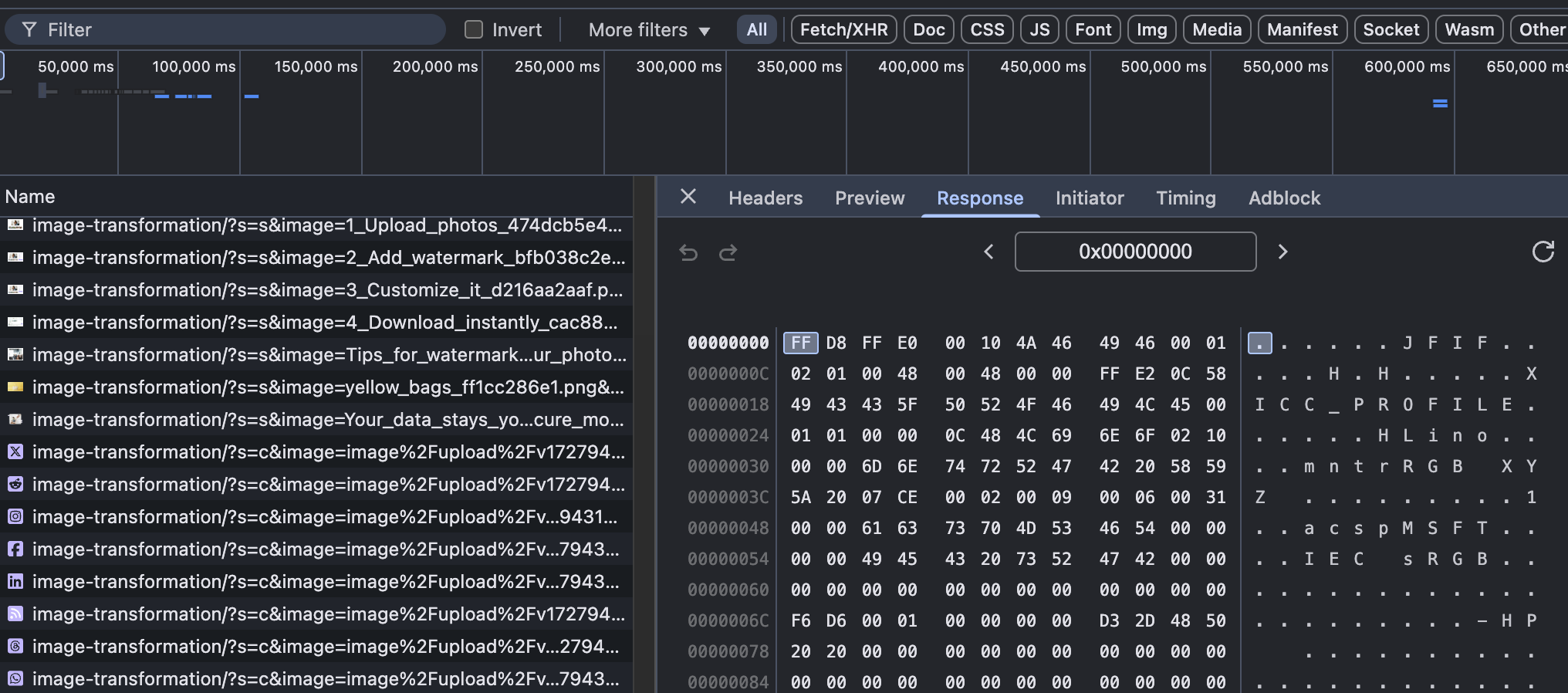
I did not found anything released on Github from that website but they indeed do not send anything to a server from what I can see with a basic browser devtools inspection (there are ways to bypass those but I doubt Proton is likely to have such ill intentions unlike Facebook :joy:).

So overall, this is still the most trustworthy, complete and accessible solution so far.
Maybe missing a public repo + PDF support but I would trust that one more than any other government app tbh. :hugs: