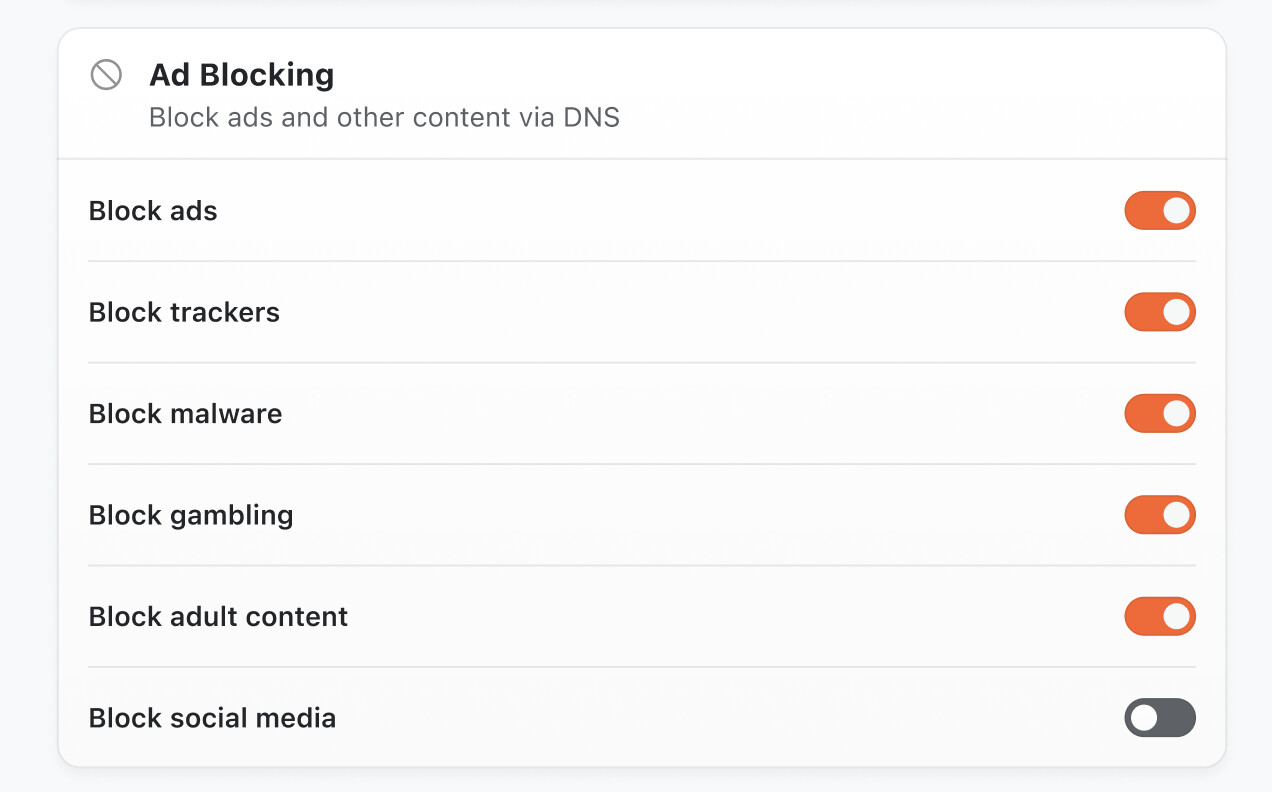
Tracker and malware blocking mostly. I’ve been using Control D for quite some time with Adguard VPN and Obscura, but I will probably switch to using the Mullvad lists directly once you add them.
I think these two methods are certainly enough to cover my use-cases, and probably everyone else with Apple devices as well. The only missing point would be Wireguard config users, but I think there are multiple clients that let you specify custom DNS resolvers, anyway.
what do folks use Custom DNS for when used together with a VPN?
I use Control D for custom DNS. I use it to:
Block ads and trackers.
Block malware.
Block certain services, TLDs, ASNs, source/destination countries.
Use AI to block new malware.
Use the blocklists that I choose.
Proxy certain services to different locations.
Monitor the connections that my devices are making.
I want the granular control that I get with a separate service like this. I also don’t just want to block well known malware/trackers, I want to block as much as possible and know about it after the fact. I don’t think there is as much benefit in blocking malware if you don’t know that malware was blocked.
Recognizing that I can only see DNS queries and not all traffic, I also use it to monitor new apps to see if they are making calls to domains that I am not expecting.
Do the above 2 options cover these usecases?
Yes. The “Use installed custom system DNS profile (e.g. NextDNS)” covers what I would use it for. This is a good idea to solve the custom DNS problem because it allows for encrypted custom DNS.
Services like NextDNS, Control D, AdGuard DNS, etc. give unique encrypted and IPv6 resolvers but cannot give out unique IPv4 addresses due to lack of address space. If you use one of these services and a VPN that only supports IPv4 custom DNS addresses (like Proton), then you have to figure out a way to use the DNS service’s API to link your VPN’s current IP addresses to your resolver IP address and it gets messy and annoying really quickly.
Well if you release a native android app anytime soon, android has the ability to set system wide dns resolver in the settings, it’s named as “private dns”, it’s DNS-over-HTTPS (DoH), so primary use case is just using encrypted DNS.
Better ads and trackers blocking. I refuse to use anything without Hagezi’s lists.
Better malware and phishing blocking.
Services, like Facebook, Instragram, Roblox, etc blocking
Tracking false positives and allowing them.
Also custom DNS must be Secure DNS, otherwise each time IP changes, I have to manually link that IPs to DNS service, also secure DNS is like in the name, secure.
One issue with Android private DNS, is that some network blocks that and the phone can no longer send DNS queries. However, if you hide that inside a VPN tunnel (i.e. Custom DNS within VPN apps/ profiles) then you will still be able to use that.
However, Android’s VPN is leaky , so I suspect it is not as robust as native private DNS.
Private DNS also doesn’t work well on other user profiles if you use GOS. Sometimes it just does work and that profile will not be able to send DNS queries at all.
geniunely I did not know Hagezi was held to a high standard
I usually like to add (on things like NextDNS of course) as many filters with minimal or no breakage risk so in that way it covers a broader scope of ads and tracking and stuff like that
I use ControlD for the usecases mentioned above, but also run it at my parents and older family members homes to block access to tools like TeamViewer, ScreenConnect, and other tools commonly used by scammers imitating banks, Google, Microsoft, etc.
Hmmm, seems like people have many different ways of using DNS…
We’ll look into how to allow Obscura to work well with NextDNS or other options on our upcoming platforms (macOS and iOS already work with custom system profiles), thanks for the feedback here folks!