I’ve been trying to look all over our community for an answer.
The main thing that has held me back from using AI solutions online is that all of the ones I’ve seen rely on using “The cloud” and accessing a computer online to do all of the processing which is very scary to me.
Apple Intelligence, on the other hand promises to offer a “Stays on device solution” and doesn’t need to connect to a computer online to do its AI processing.
I just bought a new iPad and I want to try it out but I’m squeemish.
Does anyone have a guide on how to use Apple Intelligence without it needing to connect to the Internet?
Be careful here, it does need for some things but it will ask you once. You will need to keep an eye out for the settings. Apple Intelligence is still in its infancy if you ask me and there are only so many basic things it does with on device processing. To make real use of it, connecting it with the partner AI Apple would be needed.
There are so many videos on this online. I suggest checking them out. People here are not as AI friendly and prefer not to use it. I assure you, the videos people made will be a better way to get an answer you’re looking for.
I thought the main strength of Apple Intelligence was that it was capable of doing the vast majority of its processing locally without needing to connect to a foreign server???
It’s just that this community means a lot to me and I trust the people here…
Yeah, that’s how they advertised it and showed. But Apple has not been able to deliver on this as they wanted to. It’s one of their more and most recent failure. This is not really the case.
I get it. But it’s hard to explain or show here in writing. Watching a video would show and tell all at the same time.
It’s a bit more complicated. They do on-device processing when they can, but for some things they still use the cloud. When that happens, they utilize Private Cloud Compute which isolates your request from others and is supposedly inaccessible to Apple itself. You can read about it here. It’s the same concept as Confidential Computing just using Apple’s hardware. There’s a lot that they put into the system, it’s not quite as private as homomorphic encryption (which they do use for some things as well) or on-device processing but it’s about as good as you can get while still processing data in the clear.
I use it all the time, the only annoying thing is it’s not fully complete yet, so some things that don’t use Apple Intelligence yet will still send data off. But in my opinion Apple Intelligence is a privacy upgrade vs not having it on.
It’s not really that simple. Different AI tasks need vastly different levels of compute. Only very simple things can be done on smartphone. The Apple on-device model is about 3 GB in size which needs to be LOADED IN RAM. More complicated tasks need much larger models (hundreds of GBs) which is simply not feasible yet on mobile devices.
That being said, Apple’s Private Cloud Compute seems to be one of the best/most private solutions when it comes to using AI in the cloud.
A slightly outdated list of on-device Apple Intelligence features can be found here:
The article also teaches you how to determine which feature works offline.
Turn on Airplane Mode before using Apple Intelligence. What works offline will work. The others will throw an error at you.
I’m surprised that no one has mentioned it yet. You should consider turning Siri off. You can use Apple Intelligence features like Writing Tools and turn off Siri at the same time.
Siri requests are not sent to Private Cloud Compute like others. Siri also implicitly sends sensitive information. Siri can work offline for simple requests. The problem is that you can’t know when Siri processes things offline. So, if you don’t want to turn Siri off, turning on Airplane Mode before using Siri is an alternate route that you can try.
PS: You can keep Siri Suggestion on. Siri Suggestion is not related to Siri.
This is misleading. Google said that their Private AI Compute is only used for very limited tasks. Gemini is not on the list. I don’t doubt that Google will expand it in the future. However, for the moment, Google’s Private AI Compute is in its infancy stage.
Private AI Compute enables on-device features to perform with extended capabilities while retaining their privacy assurance. Using this technology, Magic Cue is getting even more helpful with more timely suggestions on the latest Pixel 10 phones. And with the help of Private AI Compute, the Recorder app on Pixel is able to summarize transcriptions across a wider range of languages.
Probably the only way to use it securely is not to use it at all. Use something like GPT behind Tor if you need AI in the “cloud,” or run a model locally with llama.cpp.
Tor isn’t really going to help you much with ChatGPT. The main privacy issue with these cloud AIs is the data you’re putting into them, and ChatGPT doesn’t have anything comparable to Apple’s Private Cloud Compute at the moment although they did announce plans for some privacy enhancements in the future.
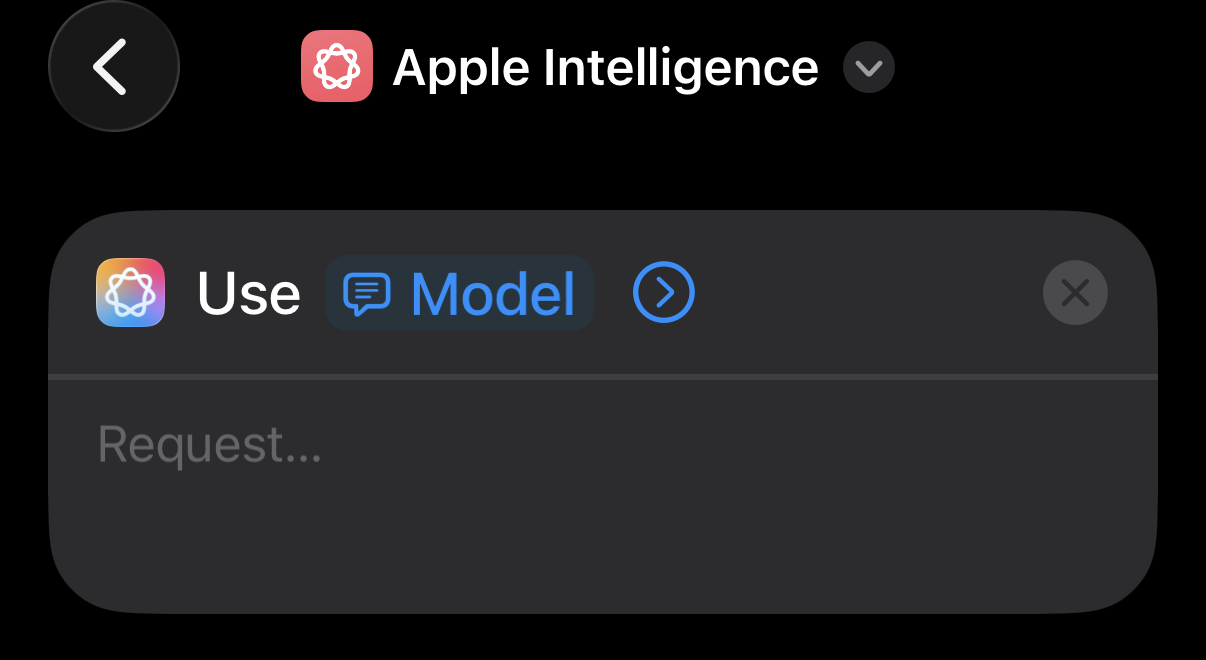
You can pretty easily set up a shortcut which will ask you which model you want to use (local, private cloud compute, or chatgpt) before sending a prompt
I’d really appreciate it if anyone could help me out with making Apple Intelligence function only locally on the iPad?
EDIT: I’d REALLY appreciate it if someone could post some articles/guides on how to use Apple Intelligence locally on an iPad even if you don’t have personal experience with Apple Intelligence!
When you make a request, Apple Intelligence analyses whether it can be processed on the device. If it requires greater computational capacity, it can draw on Private Cloud Compute and send only the data relevant to your task to be processed on Apple silicon–based servers. Your data is never made accessible to Apple — it’s used exclusively to fulfil your requests. And independent experts can inspect the code that runs on the servers to verify our privacy promise. Private Cloud Compute uses cryptography to help ensure that your iPhone, iPad and Mac will refuse to talk to a server unless that server’s software has been publicly logged for inspection.
Whether an action is being performed locally or via the cloud will be invisible to the user, unless their device is offline, at which point remote queries will toss up an error.
You can try adopting Private DNS (a.k.a custom DNS) and block all domains related to Apple Intelligence, then in theory your Apple Intelligence will be forced to run locally, without the need of using airplane mode.


 What works offline will work. The others will throw an error at you.