Coming from a Bitwarden paid plan, I’m looking for a more reliable password manager. Since I strongly follow PrivacyGuides’ recommendations, the other cloud based services listed there besides Bitwarden are Proton Pass, Psono, and 1Password.
Since 1Password doesn’t offer a free plan, I’ve been using Proton Pass and Psono side by side to figure out which is better, but the comparison isn’t fair since I haven’t had access to 1Password.
I admit every service has both positives and negatives, and users have to decide what’s best suited for them. Still, here are the negatives I’ve experienced with Proton Pass and Psono.
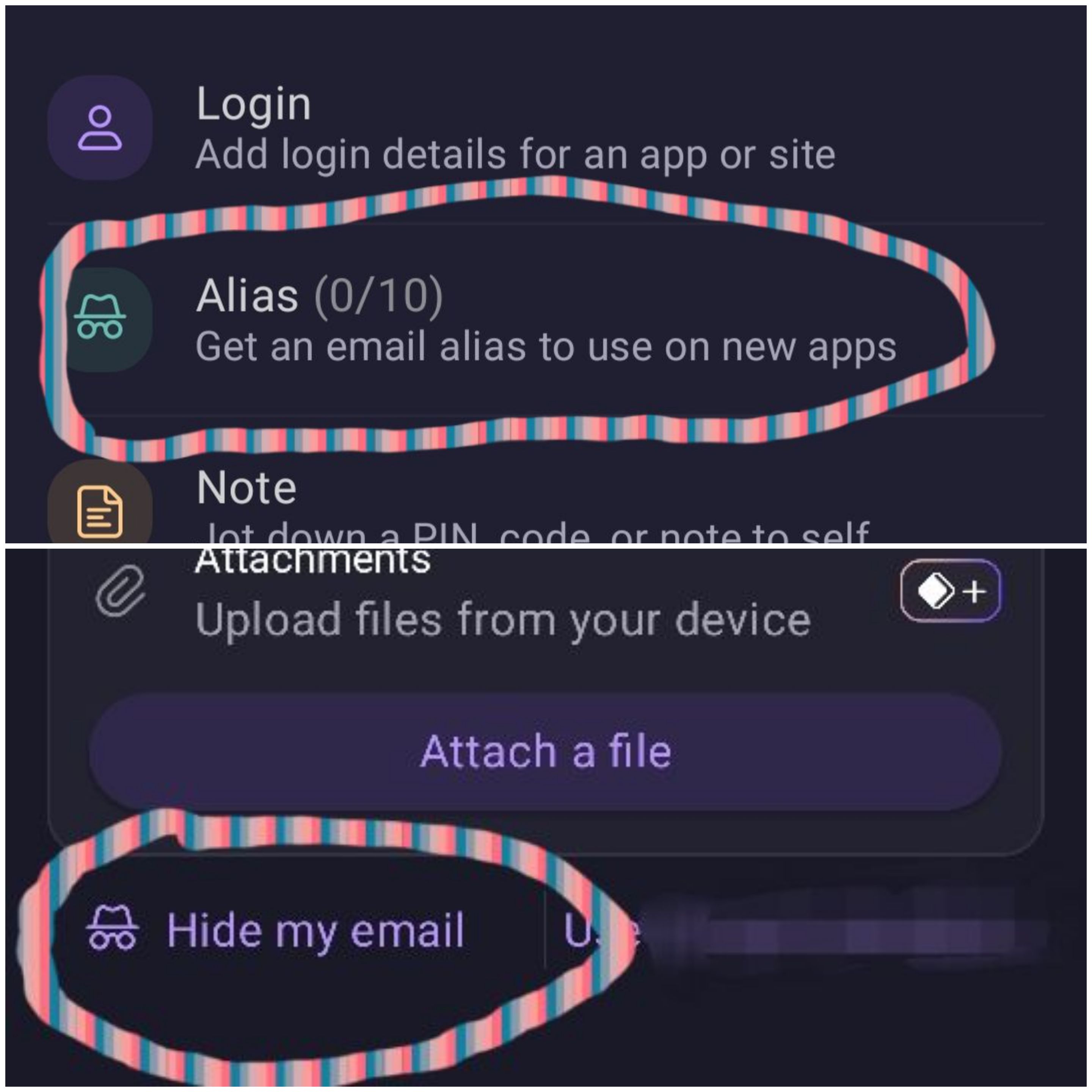
- Proton Pass — Personally, I’ve found it better than Bitwarden. The UI looks polished, and it detects logins 99% of the time without issue. But the big downside for me isn’t the service itself, it’s the provider. Proton Pass is part of the Proton ecosystem, and I strongly oppose keeping all my eggs in one basket. I’m a paid Proton Mail user and might purchase the paid Proton VPN plan as well. On top of that, there’s no option to turn off SimpleLogin integration completely inside Proton Pass — whenever I try to add a login, two SimpleLogin-related options appear on screen, which I personally don’t like at all, especially if I’ll be paying for the service.
Edit — I checked Proton Pass’s pricing page and found that their paid plans include SimpleLogin’s paid plan (based on the paid email alias features). So even on paid tiers, the SimpleLogin integration issue doesn’t go away — which makes it an even more unlikely choice for me now.
- Psono — To be honest, it’s improved a lot over the past few months, and I’ve witnessed it myself. The app went from feeling heavy and slow to being in a workable condition, and I’m quite surprised to see they’re focusing on their cloud-based service as well (it’s more popular among businesses for self-hosting). Still, while it’s currently workable, it needs a lot of improvement and polishing to compete with other popular password managers on the market. Currently, Psono can’t show matched login credentials automatically — after detecting a login field, the user needs to unlock Psono and then manually select the saved credentials, which he want to fill out.
Since I’m willing to go with a paid plan, I don’t want to compromise on usability. I need a password manager without any built-in integrations, unlike Proton Pass. So the last option left is 1Password, which I haven’t tried to date. I’d like to know your opinion on whether I should consider 1Password over the other recommended password managers.
If anyone’s wondering why I want to leave Bitwarden, here’s why:
The Bitwarden paid plan doesn’t feel worth it to me. I never access the Archive folder, which is a paid feature; I never store a single file on it (what’s the point of the cloud storage then?); and I always store TOTP codes on a separate app. So the paid plan always feels like an annual donation to me. I’ve been a customer since 2018, and I haven’t seen any major updates to their mobile app. Along with that, the autofill detection is hit or miss — sometimes it stops working completely, sometimes it doesn’t detect anything at all. When autofilling card details, it adds a space after every 4 digits of the card number, but if the website splits the card number itself, this results in an “Enter valid card number” error. Also, some payment aggregators ask for the last two digits of the expiration year instead of four digits, and in those cases, Bitwarden doesn’t autofill anything from the saved card details.
At the time of writing this post, there’s a sync issue in the Bitwarden mobile app. I clicked “Sync Now” in the settings menu, and it’s stuck on a loading screen. I couldn’t even access my current plan details from the app.
Because of all these hassles, even after paying for the service, I want to leave Bitwarden for good and switch to a more reliable password manager.
Since I haven’t used self-hosting and probably won’t in the future, I rely on cloud-based services due to my cross-device usage.