Hey all,
I started my self-hosted journey about a year ago, with one of the main goals being to ensure that I have full control over my data and don’t have to rely on third-party services to store and manage my personal information. The first privacy-focused service that I got to deploy at home was Pi-hole.
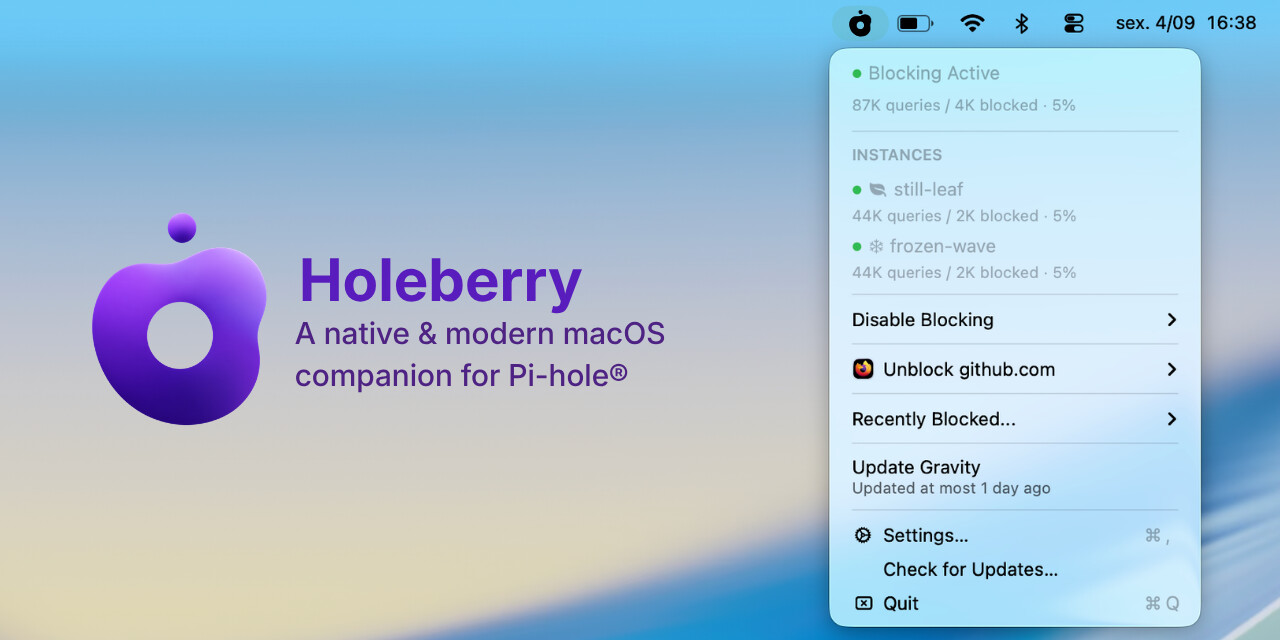
I’ve been running it for a while and got tired of opening the web UI every time I just wanted to check status or unblock something for five minutes. So I built Holeberry, a native macOS menu bar app for it. Free and open source (MIT). If you are already using Pi-hole, give it a try and let me know what you think!
GitHub: https://github.com/pedrovieira/Holeberry
What it does:
- Lives in your menu bar, shows status and total queries/blocked at a glance
- Manage up to two Pi-hole instances at once. Every action (block/unblock/allowlist) applies to both, so they never drift out of sync
- Disable blocking globally with a timer (or indefinitely). An auxiliary countdown will be right in the menu bar; re-enables automatically
- One-click unblock of whatever site broke in your current browser tab (Safari, Chrome/Chromium, Firefox/Zen), without a global disable
- The standout feature for me and the one I’ve been using the most
- Browse recently blocked domains and allowlist/unblock them straight from the menu
- Trigger a Gravity update right from the menu bar, on all your servers simultaneously
- Fully notarized with a paid developer account
- Supports passwordless Pi-hole instances
Requires macOS 14+, supports Pi-hole v6 (and v5, though less tested). Credentials live in Keychain, nothing written to disk.
Happy to answer questions, and open to feature requests / bug reports.