If you don’t want to wait for the rollout to reach you, open about:config and set browser.profiles.enabled to true.
1 Like
I did that. Unfortunately, it doesn’t work.
Oh sorry didn’t see that. I don’t really understand what your problem is, but might this be relevant to you?
It has now been over 3 months since Mozilla announced their new UI for profiles.
The new UI launched with FF 144, and we’re now on FF 147.
I still don’t have the new UI.
Does anyone who used FF profiles before they announced their new UI, currently have their new UI?
Also, for those who enabled it manually, did you have to enable it in both profiles?
Yes
No (from what I can recall)
–
I’ve had it for a while now. I did have it enabled manually but I recently downloaded Firefox again after deleting it fully. It showed up for me without me doing anything like before.
I have forgotten the details and specifics of the issues you’re facing as I have not read this thread in a while but I’ll still say, if you want to be sure - delete FF in full and download and install again.
You clearly seem upset with not seeing this, I think its time to consider this which you were absolutely against. But that’s all I got.
(I am on macOS here, FYI)
Thanks for your feedback. I’m not upset. I’m disappointed and annoyed. I’m not ready yet to do a clean re-install. There is one thing I haven’t tried that I want to attempt first.
1 Like
I can’t be bothered to read this large thread, but I’m not a fan of this “new” feature. Firefox already has a profile system. I thought that this “new” feature was just a UI refurnishing of the existing profile system, but it is not. It actually is a new feature, not just a new UI for the existing feature..
This is the current profile system. We have, as an example, profiles for John and Jane:
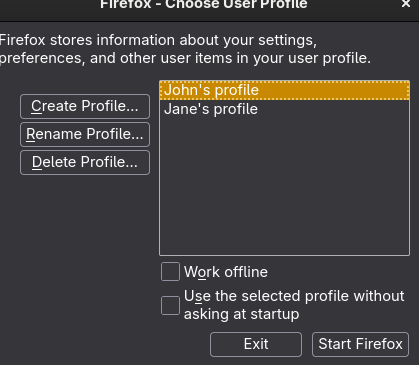
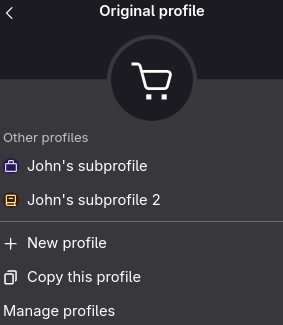
But this new feature adds a “sub” profile of sorts, making the original profile system “parent” profiles. This is what it looks like when we go into John’s profile (created by the original profile manager) and create two subprofiles (created by the new profile manager):
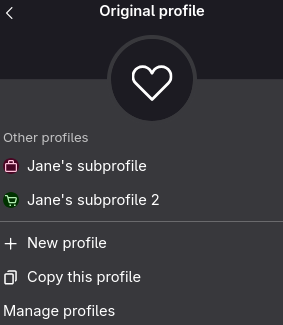
And this is what it looks like when we go into Jane’s profile with two other profiles created by the new profile manager:
I hope they do not deprecate the original profile system.. Each profile is its own folder and can be named uniquely upon creation. Creating profiles the “new” way with this feature will still allow you to uniquely name profiles, but their folders will be named Profile 1, 2, 3, and so on.
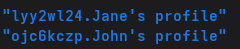
For example, this is how folders look when created in the original profile manager. These are the “parent” folders (i.e., they were created with the original profile manager):
But now we have this. These are the “sub” folders created inside the parent folders (i.e., they were created with the “new” profile system):
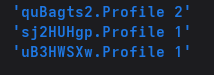
Cannot tell them apart.
Also, about:profiles does not properly list these profiles. When viewing about:profiles from John’s subprofile 1, it will show that subprofile location as John’s parent profile, even though it is not:
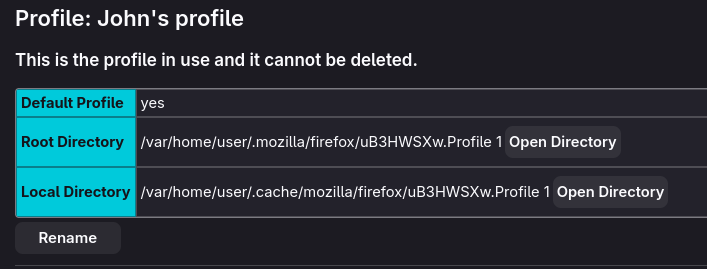
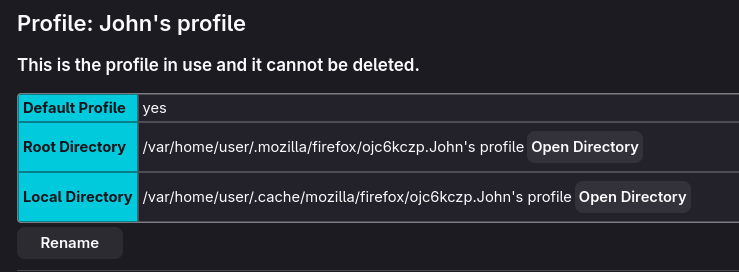
When viewing it in John’s subprofile 2, it will subsequently show subprofile 2’s as the parent profile, even though it is not. Only when viewing it in the original profile does it show John’s “parent” profile:
If I am on John’s profile (parent or sub) looking at about:profiles, I will only see the last profile Jane opened/closed as her parent profile:
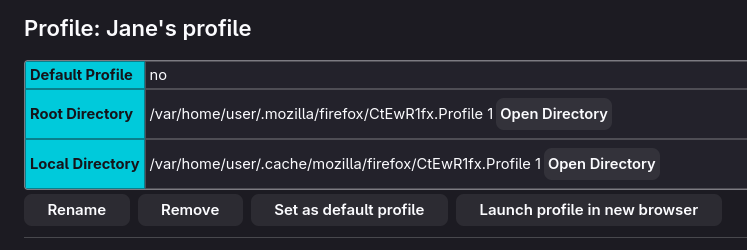
Notice the location is for Profile 1 (the “sub” folder) and not Jane’s profile (the “parent” folder) like so:
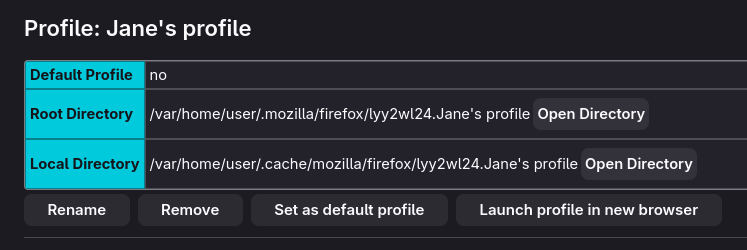
We will also just outright get a blank page when we have two sub profiles opened under the same parent profile. For example, this is what you see when you go to about:profiles in John’s subprofile 2 when subprofile 1 is still opened. (Actually, I’m not sure how to replicate this. Sometimes it pops up, sometimes it doesnt.)
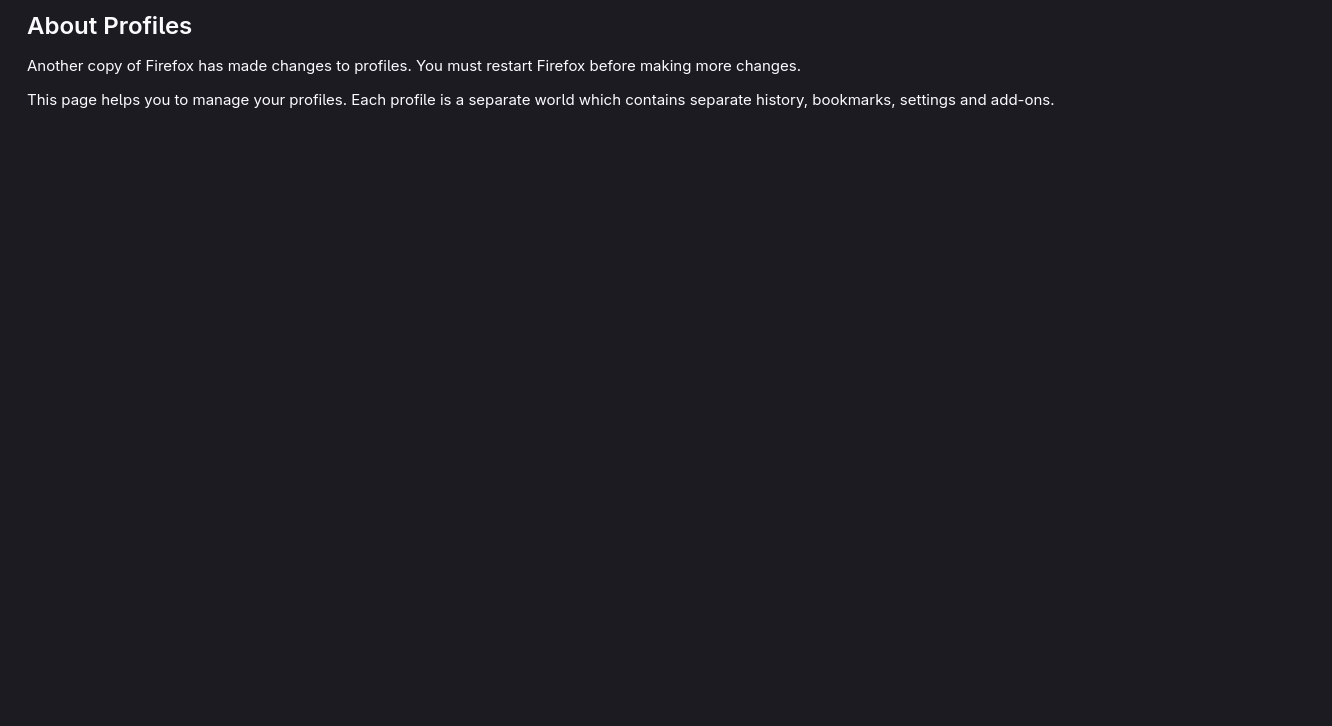
Very wonky. Very annoying. Very needless. If this new system becomes the norm and the old system becomes deprecated, people who use the old profile manager will have lots to do in order to migrate to it. If the old system is not deprecated, the devs will have lots to do to make sense of “parent” profiles and “sub” profiles and fix the about:profiles page.
Edit:
The profiles don’t strictly act like “parent” and “sub” profiles. I’m using those terms to make sense of it all. I call them that because creating a profile from the new profile manager (Jane’s subprofile 1 and 2) will only make that profile accessible from the profile in which it was created (Jane’s profile) John cannot launch Jane’s subprofiles from his own profile, and vice versa. These subprofiles also do not pop up in the original profile manager.
As of right now, deleting a parent profile (John’s or Jane’s profile) from the original profile manager
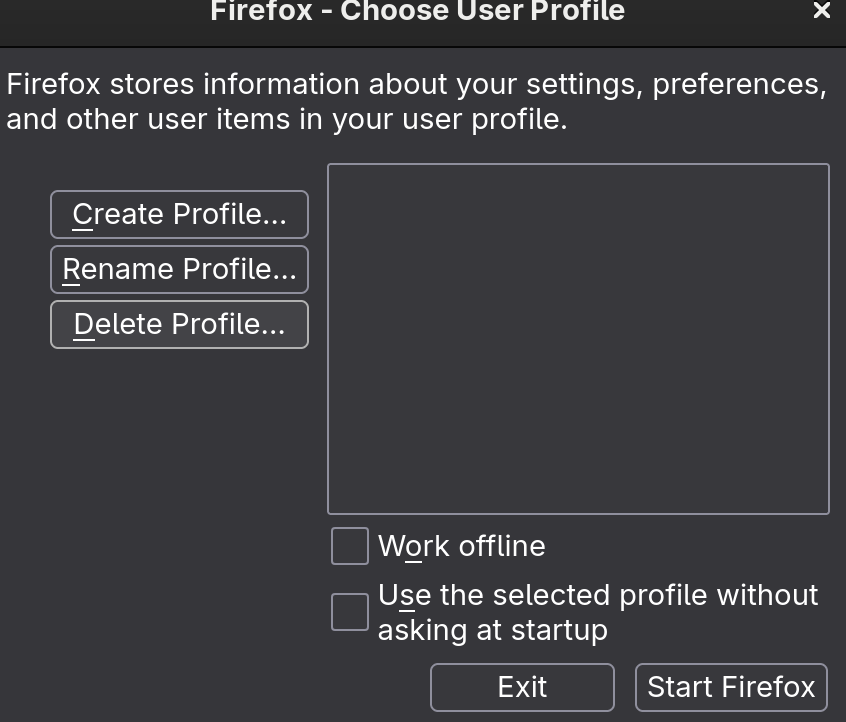
… will not delete their subprofiles. In fact, those subprofiles seem to remain inaccessible from the old and new profile manager UI even though they still exist inside the .mozilla/firefox folder. I will not be using this new profile manager as long as I have access to the old one, which I still do thankfully..
2 Likes
It’s been 6 months. We’re on FF 150. The new UI launched with FF 144 and I still do not have it. I have now come to understand from Firefox forums that the new profile management UI does not import the data from the old profile management UI. This bug was reported to Firefox, and they are allegedly working on it.
To me, this is unacceptable.
How can Firefox launch a new UI for an existing feature and not make the new UI available to the people who already used the feature?
I refuse to believe that Firefox did not know that existing profiles users would not be able to use the new UI. It was a deliberate choice by them.
This is terrible implementation.
They should have never launched the new UI without making sure legacy profile users could use it. Firefox launched the new UI as if profiles was a new feature when it isn’t. Six months have passed, and they have done nothing to fix this bug. Firefox prioritized new users over existing users.
I am beyond disappointed. They really suck.
2 Likes
Patience is a virtue. Take a break, you aren’t dying because you can’t change some colors
It’s not about colors but fair point.
I just find it strange that FF would launch a new UI his way. It’s bewildering.