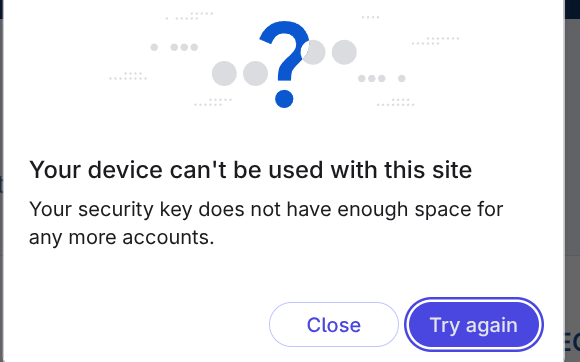
I did everything right:
- I got the Yubikey
- I got a second Yubikey
- I set up my Yubikey as 2FA for every account I could
- I set up passkeys with my Yubikey for every account I could
- I set up my backup Yubikey with every account in case I lose my first Yubikey.
- I am safe
- I am secure
- Sign up for new account
- This message:
- I am no longer safe and secure
What’s with such a small limit for Yubikey passkeys in the first place? What’s my path forward here? 4 yubikeys for which I have to keep meticulous track of which belong to which accounts? Are there hardware keys with sensible limits?
25 resident credentials is too low. It should be more like 1,073,741,824
Also, I would like to conduct a poll:
- How many entries do you have in your password manager?
- 1-10
- 10-30
- 30-60
- 60-150
- 150-300
- 300-600
- 600-1200
- 1200-2400
- 2400+
1 Like
I have a lot of accounts but most don’t accept passkeys. If you need a very large amount, a device with a TPM and fingerprint reader could be worthwhile. This is a common feature of phones and laptops. You could still use yubikey for the most important accounts.
You can also get one that accepts more than 25. YubiKey 5C NFC says it accepts 100. If you had gotten 5 of those, that would be 500 accounts. That’s around how many I have in my password manager but, again, most accounts don’t use FIDO2.
1 Like
You thought about trying the Onlykey? I believe it holds more
2 Likes
I didn’t do a ton of research back when I bought my Yubikeys. I just picked whatever was the most popular.
In retrospect, something like Nitrokey or Onlykey looks cooler to me. I like Nitrokey’s open source hardware aspect but I also like Onlykey’s on device PIN entry.
I might just wait until Nitrokey comes out with a key with on device PIN entry since I’ve always been concerned about entering my PIN on devices I don’t trust.
1 Like
Yeah, I think OnlyKey holds the most though
1 Like