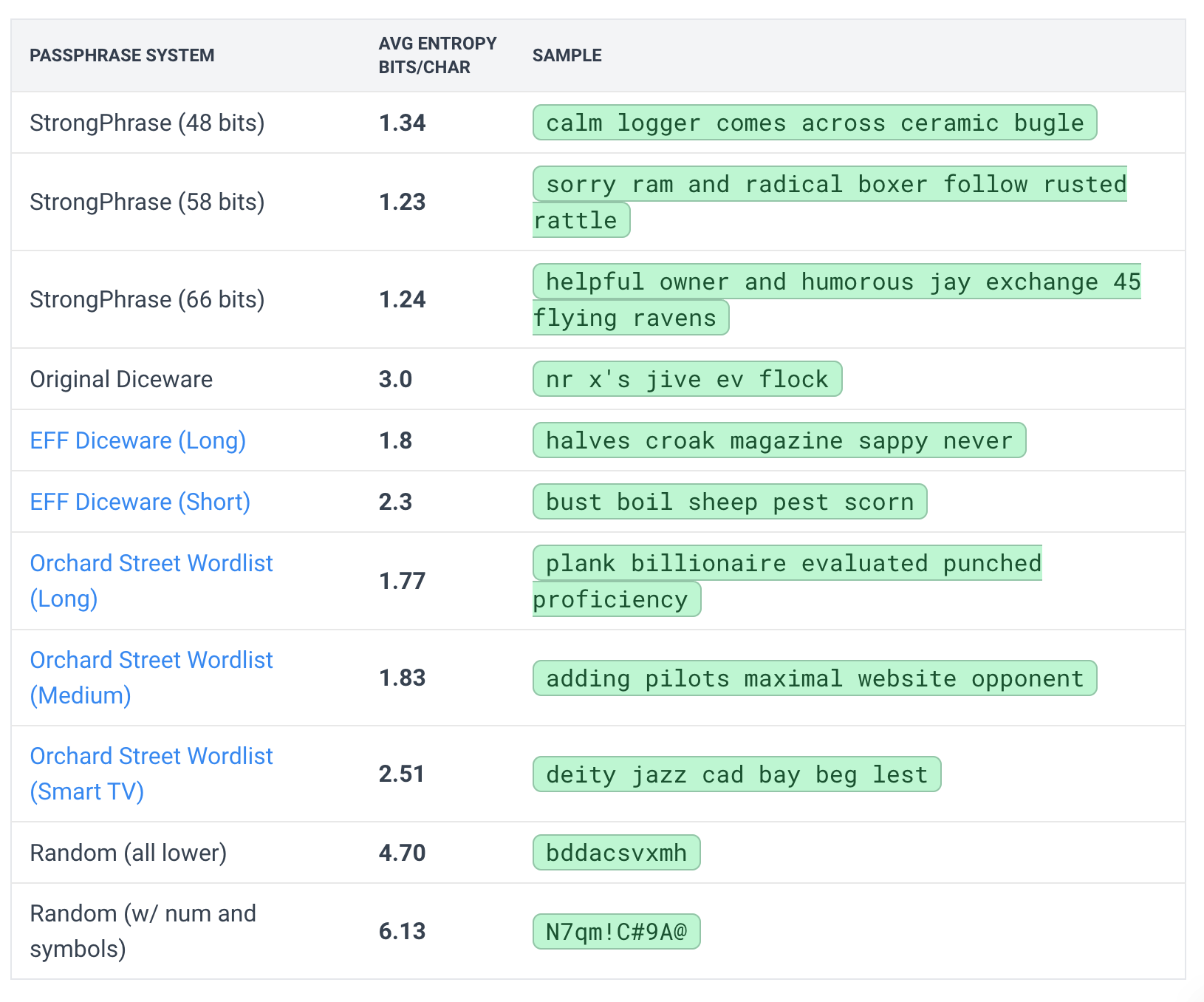
This makes it much easier to find an easy-to-type passphrase.
Warning: I’ll say up front since I know my audience, this is objectively a bad idea from a password security point of view. If your adversary knows you used this site to make your passphrase, they can now start with the easier passphrase combinations before going on to other harder options and be more likely to find the passphrase you used. The safest assumption is to always assume your adversary knows which passphrase format/generator you used. (Assuming they don’t know is relying on security by obscurity.) In reality, it is unlikely that they will know which, if true, will buy you a lot of additional protection because they have to search many different formats and wordlists and variations (symbols, numbers, etc).
It is very easy to mistype a password when you use spaces. I have personally made this mistakes a few times before I started using passphrases. Meaning that when I created my password, I didn’t realize that I put a space at the end or the beginning. If I hadn’t automatically saved my password in my password manager, I would have never caught those mistakes.
I personally advise everyone against using spaces in your passphrases. Use a special character like a dash or dot to separate each word.
However, the middle dot is not a commonly accepted special characters, but I have found many popular sites that accept it. And most that won’t let you know. This not something I recommend, it’s just my personal choice,
I also do not use the middle dot for passphrases I need to type as it is not simple to type.
Even so, if you use a password manager, there is only one passphrase you should remember, and it’s the one to unlock it.
I know this tool isn’t great with its information accuracy and the passphrases are less secure, but it is a game changer for helping people set up password managers for their first time. It increases memorability a lot, which is helpful for really anybody.
I really appreciate your site. Maybe consider removing the cracking times and costs because it is so hard to get accurate data, and give more broad guidelines.
Interesting take. I don’t have this experience at all. I used to use dashes or periods because that’s what other passphrase generators offered. But I find space is a lot more natural to type because I’m already used to typing it between words.
I’ll take i into consideration in the future but for now I’m just going to let people add symbols manually if they want.
I’ve only mistakenly used spaces maybe 2 or 3 times in like a decade, and the last time was at least half a decade ago. That being said, it was enough for me to avoid intentionally using spaces in my passwords. I never did before, but this experience made me realize why it was a bad idea.
I hear you, but other than my computer’s password, my password manager’s passphrase is literally the only password I have memorized, and the only password I actually type. Seeing separators in between each word helps me a lot visually. Also, to me, there’s always the small chance of typing two spaces instead of one.
That being said, for the last couple of years, every time I have to create a password, I always save it in my password manager first, and then copy and pasted in the sign-up form. I never actually type. That should help avoid making mistakes, but I would recommend avoiding spaces. That’s just me.
Yeah, that’s what I do. Also, given that most website require special characters, I personally like to use them as words separators and to end a sentence.
 rig
Darius Young
112 Willow Rd
Vancouver, WA  98661
(206) xxx-xxxx


brew info rig

==> rig

: stable 1.11 (bottled)
Provides fake name and address data

Conflicts with:
  r-rig (because both install `rig` binary)
Installed
/opt/homebrew/Cellar/rig/1.11 (11 files, 125.6KB) *
  Poured from bottle on 2022-12-02 at 12:53:47
From:
License: GPL-2.0-or-later
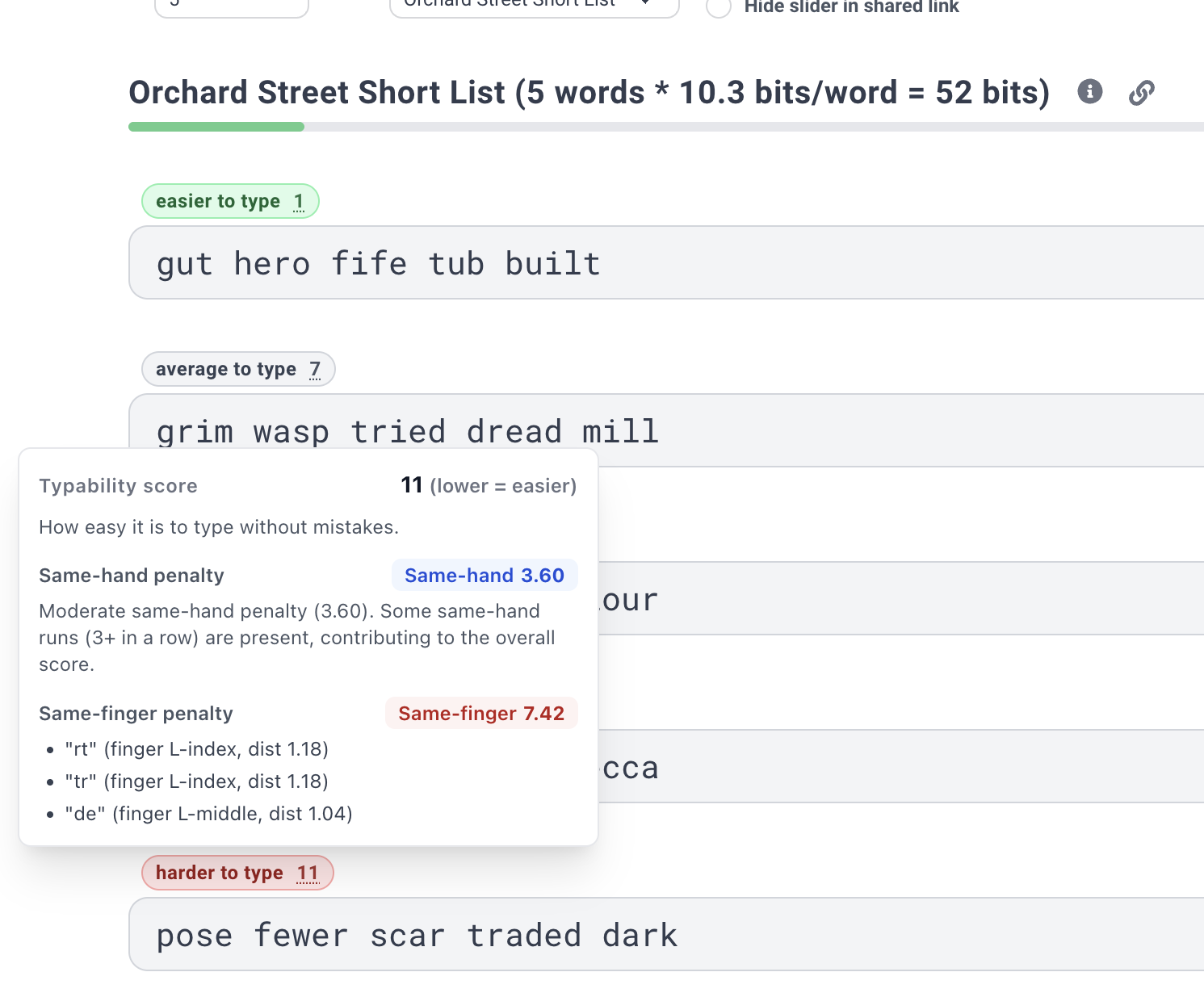
 Warning: I’ll say up front since I know my audience, this is objectively a bad idea from a password security point of view. If your adversary knows you used this site to make your passphrase, they can now start with the easier passphrase combinations before going on to other harder options and be more likely to find the passphrase you used. The safest assumption is to always assume your adversary knows which passphrase format/generator you used. (Assuming they don’t know is relying on security by obscurity.) In reality, it is unlikely that they will know which, if true, will buy you a lot of additional protection because they have to search many different formats and wordlists and variations (symbols, numbers, etc).