Does anyone know if it’s possible to get a dashboard that is wider than 4 columns? I feel really silly struggling with such a simple thing after everything else. I would like to have at least six.
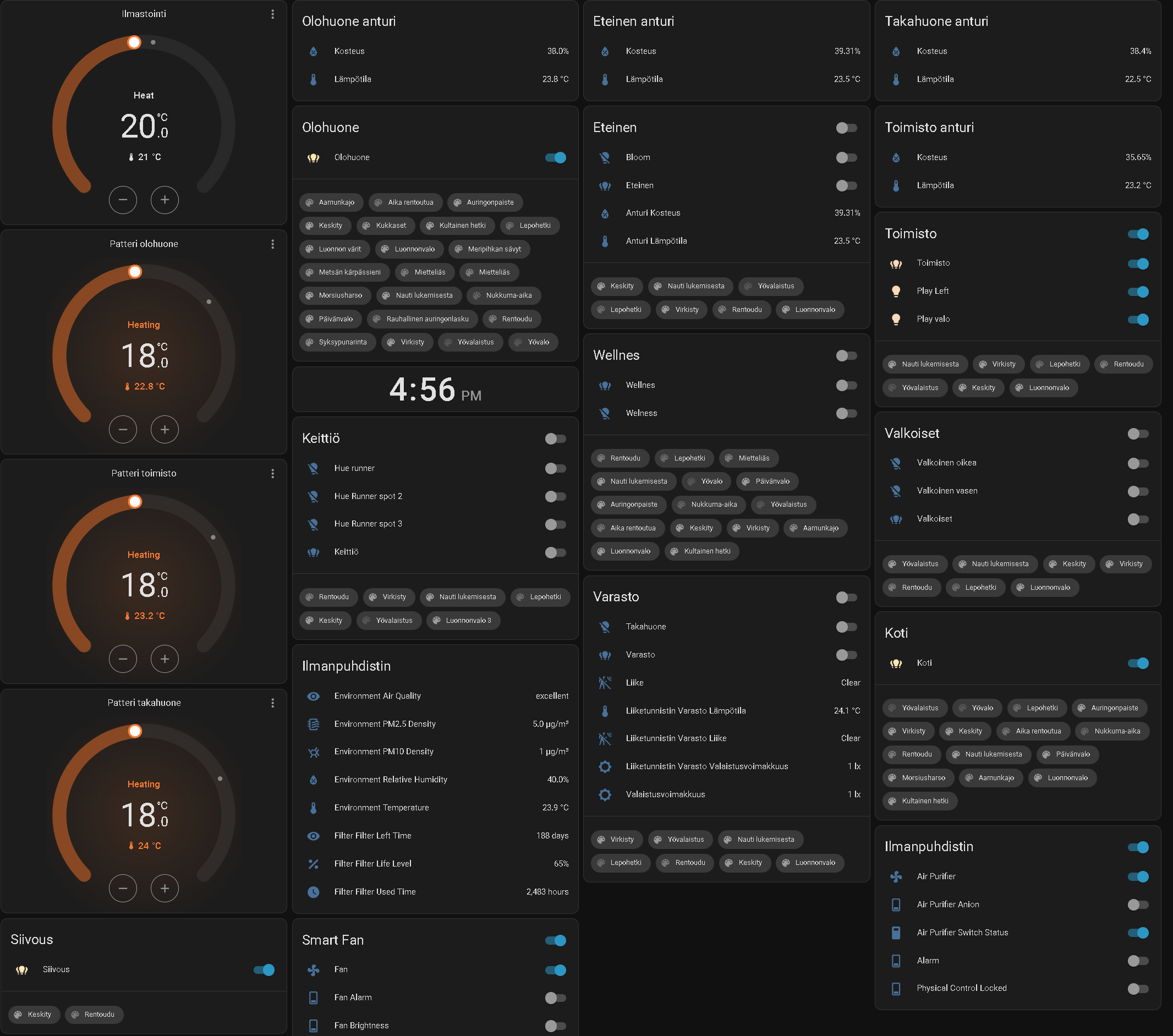
Any suggestions on what to add or how to change the presentation style? The order is probably still not final..
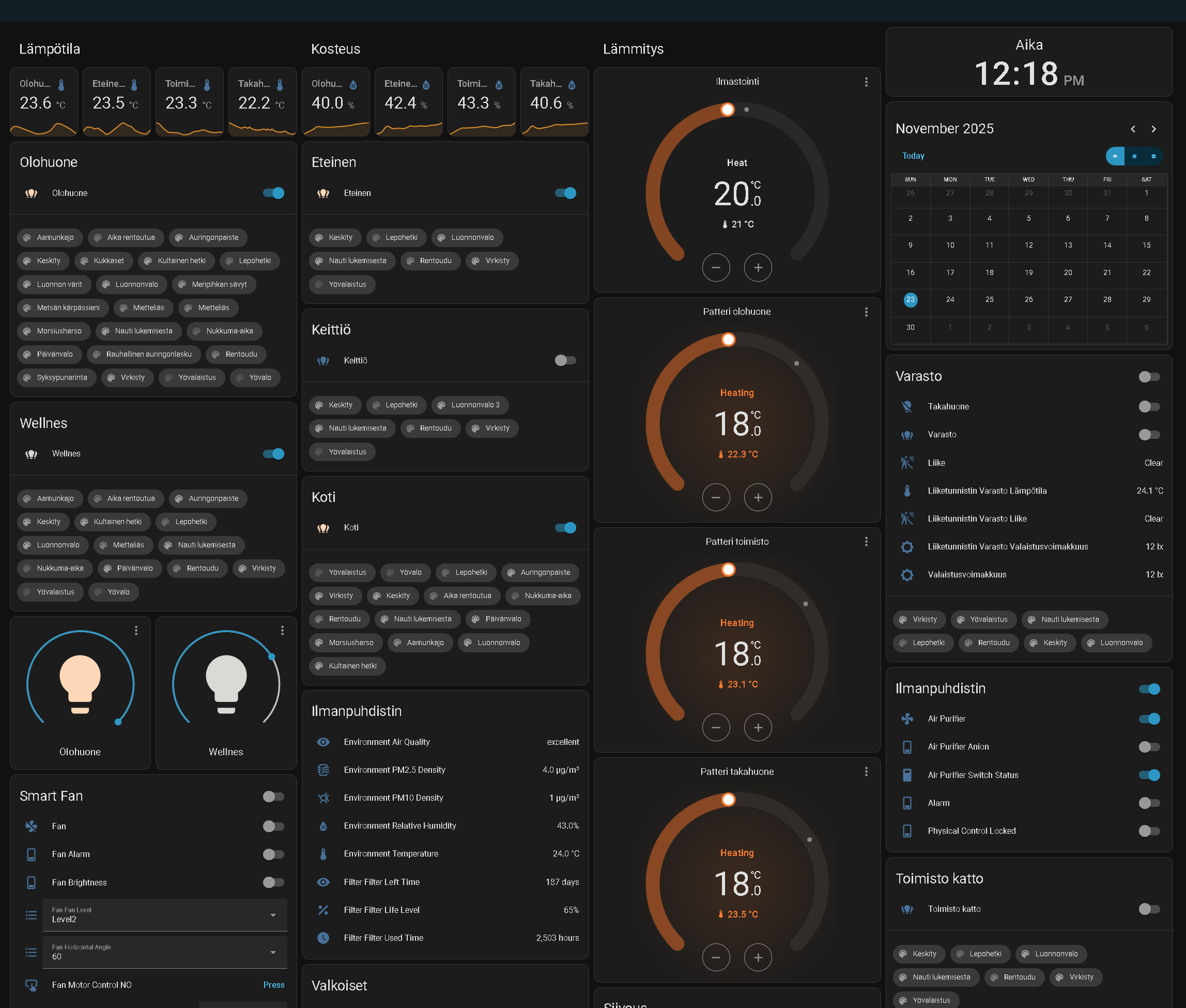
I really feel like swearing, even though I finally got it to work. I started yesterday with a goal as simple as making a backup. I had only been backing up to an internal drive for too long, and I started to worry that I would lose my mind if I had to start everything over again.
First, my goal was of course to back up to an external SSD, but it turned out that it would only work if it was formatted for Linux. So, I booted up a USB with Linux and formatted it to ext4, but I still couldn’t mount it, even though the device could see the drive. At this point, I was getting really frustrated.
Then I decided that a cloud backup is better than nothing. I continued with the rclone add-on, thinking I would just sync to Proton Drive. Well, then I struggled with that too, and when I finally got it working, it REQUIRED my Proton credentials. I was about to explode. At this point, I was thinking I could pay $20 for HA’s own cloud, BUT the price was €75/y?! Who came up with that?
I was so desperate that I would have done anything just to get the backups. So, I managed to get it working with my old friend Google Drive, but it took 4 hours because I had to remove so many restrictions from here and there. Now it’s backing up there and everything is back to normal, but I really hope I don’t have to get the backups from there anytime soon. It really wasn’t very easy to get into an account I probably haven’t used for a year, even with a passkey.
1 Like
Sounds like the usual things a user needs to go through while doing some cool project on Linux. 
Not sure how far you went with the command mount but it is not always easy I do agree, there are quite a few things here and there to know about Linux. 
Proton Drive is also unfortunately not a cloud in the sense that it is easily accessible with things like WebDav, more of it’s own thing unfortunately. I personally recommend using SSHFS or NFS but it indeed requires quite some setup.
And Nabu Casa for 75€ yearly is quite a decent price if the security and privacy of their server is done well. There are in the end, taking the responsibility of the maintenance etc, hence it’s not a cheap VPS for 3€ from Hetzner. 
2 Likes
Linux isn’t really my thing, and I guess it failed because of some small issue. I’ll try again sometime once I’m feeling better about it.
1 Like
I regret getting involved with Google again.. I don’t understand how my own browser can try to contact Google. I understand that it doesn’t actually connect, but since AdGuard Home is running on my HA and my computer’s NextDNS bypasses the firewalls, I don’t get where it’s coming from. It’s just annoying. I have already cleared everything from the browser three times, but it still keeps finding that.
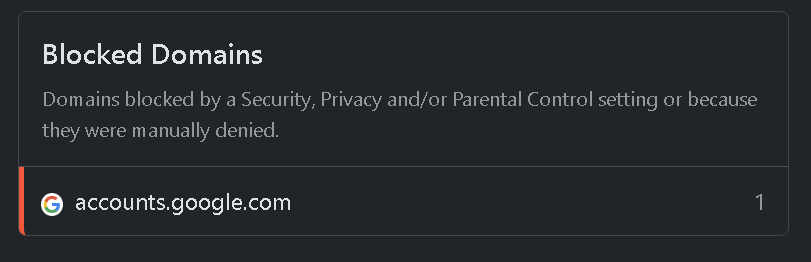
Learning curve can be a bit rough if you don’t fully understand where the issue might come from. LLMs can help with syntax but that’s when you narrowed it down a little.
Also, depending on the distro and your setup, it might just suggest some gibberish.
Don’t give up on it yes. 
Might be a service worker.
1 Like
That was exactly it! I removed the PWAs and the problem went away. Thanks a lot, I probably wouldn’t have known to look in that direction for a long time because I thought that clearing the browser would also reset those, since you get logged out of them at the same time..
Given the nature of Service Workers, there are meant to not be cleaned in that way on purpose. Tbh, they are quite a pain to clean period. 
Also, a service worker doesn’t specifically mean it’s a PWA (and vice-versa) but glad that was it. 
Actually, I had to install the portable version of CCleaner to get rid of it completely. It doesn’t show up anymore now.
Well, I spent the whole evening on a simple problem again. For a PWA, you need to have the right certificates. Since my Home Assistant only has local access, it makes things much more difficult. I ended up learning how to use Caddy server and a reverse proxy. While I was at it, I also created certificates for a few other services so the browsers wouldn’t show a warning, even though they are only accessible locally.
Edit: Deleted the DNS garbage because it didn’t cause anything. I was just tired and not thinking clearly. It’s no wonder the replies below were unsure.
Not sure about the DNS situation but to fix the SSL issues, this works great for me: https://youtu.be/qlcVx-k-02E
Ofc, Caddy can pretty much achieve the same thing.
He also mentions a small extra settings for HA. 
Apparently similar to Caddy. Also a reverse proxy. Since I already learned Caddy, there’s no need anymore.
But I definitely recommend it or Caddy to all HA users. The dashboard has auto-scaling and other features when using PWA.
1 Like
I’ve been using HA for years and this reads like an absolutely insane thread:
-
trying to jam the entire home assistant UI into a single page is crazy work. I’ve never seen a modern website attempt this type of UX. Why not break things up into tabs by functionality? This is how I do it:
-
why not use the most popular “Home Assistant Google Drive Backup” addon for backups? It’s the most popular one and works really well. I was looking at the backup files and I don’t believe there’s anything sensitive in there even if they did suddenly start scanning large (mine is over 100MB) archives.
-
why not use the cloudflared addon for remote access? It’s worked the best for me and I had stability issues with other remote-access solution. Without it you’re stepping into some sort of system admin + dynamic IP DNS territory which I’d never recommend messing with.
-
why not use the home assistant native app on mobile and web on desktop? I never saw a good reason to use PWAs with HA.
-
the whole point of HA is to combine all third party devices under a single system that you control - hopefully completely offline too. Jonah’s solution to then pipe it all back to Apple Home is counter-intuitive to the core idea of the project.
-
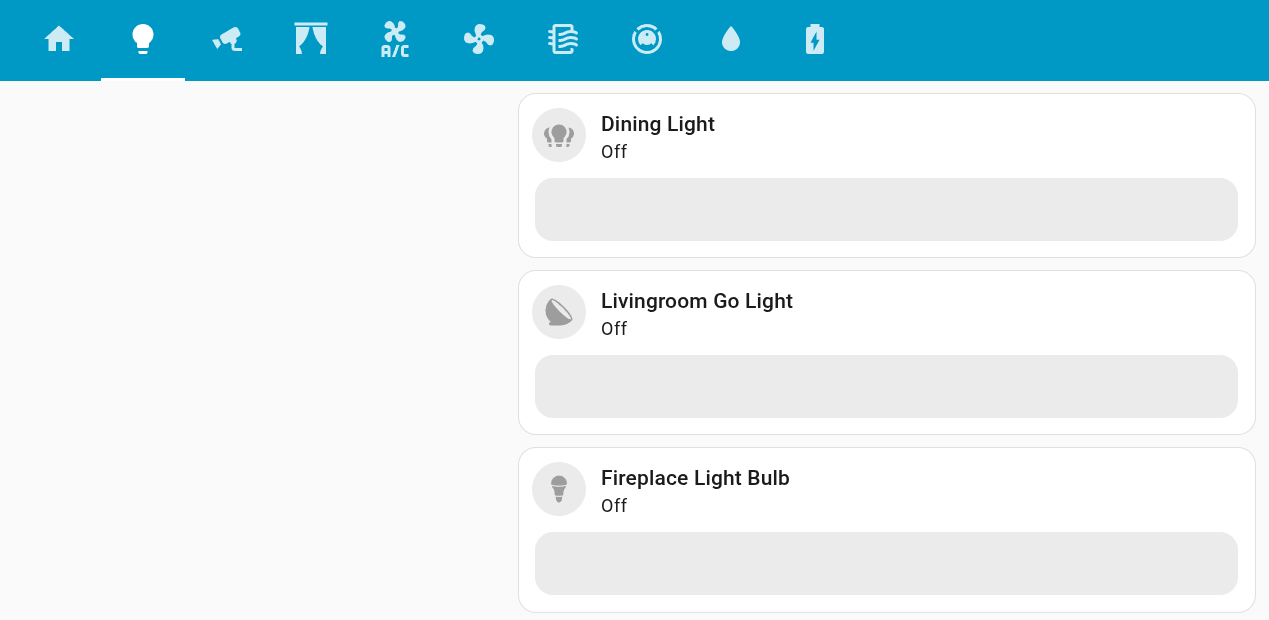
Philips Hue lights work great without a bridge and will work completely offline as long as you buy the zigbee dongle
1 Like
- Because I want to. Looks deadly fun, yours btw
- I use Google Backup if you can read?
- I don’t need and haven’t even talked about this
- Chromium sandboxing?
- Everything is aimed to get working without integrations.
edit. And it’s still good to understand that Google-related services are always the last ones.
edit2. And it’s easy to just make sure that the browser is updated. This is regarding point four.
Alright I saw both of your reactions, calm down and discuss this constructively
4 Likes
I am curious - do y’all trust your HA server with WLAN access?
I’ve been running everything 100% local. Blocked at the network firewall, only briefly enabled for updates. Fully local capabilities were the main driver that brought me to the HA ecosystem, once I woke up to surveillance capitalism
I do, however, keep an eye on HA services & offerings. They seem to offer some cloud services that do have some appeal. And so far as security goes, HA has been repeatedly audited & seems to check every box
Yet, I can’t overcome the sense that letting any IoT to communicate through my firewall is foolish… what do you think, is my tinfoil hat too tight?
The only thing I send out is an encrypted backup.
2 Likes
Copy. Appreciate the sanity check lol
I use the cloudflared addon to expose my local ha server to the world. I use the ha mobile app and I think it’s super valuable for remote access (ex. if outside camera saw something) and for geofencing (ex. turn alarm system on when family leaves home).
1 Like