I’ve been reading up on a bunch of the MFA threads and wanted to ask some questions to hopefully get more clear information as well as centralize it for others like me.
2x YubiKey 5 Series
In this scenario, one YubiKey is kept on person for any TOTP (or just hardware security key when possible) needs. The second key is kept in a safe place and has all of the same information. It just serves as a backup.
YubiKey 5 Series, offline TOTP Authenticator App
In this scenario, the TOTP app (and thus the phone) is used as the second factor (though you can lock the TOTP app behind some other credential too). The YubiKey would be stored in a secure place as backup and have all of the same information.
Offline TOTP Authenticator App, USB flash drive
Here it is the same scenario as above but the USB contains a backup from the TOTP app as opposed to being able to serve as the second factor itself.
SYNCED TOTP Authenticator App or Backed up via some cloud drive.
This seems significantly worse for my scenarios at least. And seems it would put users in a vulnerable place unless they can ensure one device with such access is always in a safe place separate from the others.
My questions:
Any differences between the top 3 in terms of security I should be aware of?
I assume it is superior to use both a hardware security key and a master password to access password manager (as opposed to just a hardware security key)?
Where should recovery keys and codes be stored?
Is using passkeys (stored in password manager) really better than normal username, password, 2FA (TOTP or hardware key)?
Is using passkeys (hardware key) really better than normal username, password, 2FA (TOTP or hardware key)?
Is it even possible to use a normal flow with a hardware security key as the 2FA? Or is your only choice completely password less with security key vs. normal password flow with TOTP?
Primarily physical security of a potential smartphone or a USB thumb drive, but I believe you have a good awareness of the security concepts for me not to elaborate any further.
A FIDO2 authentication will always be more sturdy/simpler/more secure than a TOTP because it’s something you possess.
Hence I’d recommend having some hardware key and use it in as many places as possible (not always the case given that some websites just do not allow such ).
The second best is indeed some local TOTP.
How to set it up comes down to you:
you could have it offline and locally on your phone only, safest and nobody to trust with yet a bit cumbersome in case of you loosing your phone etc
you could sync it with some kind of service (like Apple Cloud, Dropbox, Syncthing, SMB etc…) or even a company’s sync (like using Ente’s Auth with their cloud solution)
you could self-host the entire syncing yourself at home, that way you have ownership and do not need to trust anybody in the middle
As seen, there is no definite best, mostly concessions and tradeoffs given your time/knowledge/convenience/money.
TOTP on the Yubikeys themselves, it’s not the best because non-FOSS but does the job well for the few places I need it for
Ente Auth local (I’ll self-host my own local Ente server soon, not done yet) so that way I could access it from anywhere while it being on my local network’s homelab
if I’m not mistaken, it won’t block me if my homelab is down, it just won’t sync
Is it the cleanest? Not yet.
Does it work well? For me, very much yes[2]!
Is it cheap? Definitely not but I haven’t paid for all of this myself + security is something I’m fine investing into especially because those USB-C keys will last for a loooong time[3].
PS: I of course store some backups locally on my Keepass database to never lock myself out from anything[4].
I do have the following for my offline password manager:
hardware security key
strong master password
some key file that needs to be there
That’s a different topic and open to your own discretion/budget/(potential) clumsiness.
But quite some questions are already available on the forum for this one.
Not sure to understand which passkeys we’re talking about here but overall I’d say no?
Proper aliases email + strong long password + hardware auth is still king.
Having something that you own to be required to access some online service will always be better than just something that you do know. Of course, a combo of both is king[5].
This question is also a bit hard to understand.
Overall, security hardware keys make your life usually either simpler and faster[6] or slightly longer if you need to email + password + hardware key but again, it depends on each website’s capabilities/mood really.
can be different computers, some of it being for personal/work, one being a Bio, some being used in different scenarios like traveling etc ↩︎
even if the initial setup for a new website kinda requires me to go and play around with my keys all the time, it’s meanwhile a very good reason to go easy and not create 50 accounts everywhere but stay minimal and focus on the most important ones ↩︎
I use a USB-A adapter for devices that are not compatible, works flawlessly. Even with 1m extensions cables to pass it to me when my actual desktop is quite further away from my finger ↩︎
never happened so far but even if I do, I can still email recover it or I’ll be logged into another computer anyway usually ↩︎
something you are - like biometrics - is also cool if achievable and layered on top ↩︎
like logging into Github.com where only your username + pressing the hardware key is enough ↩︎
Makes sense. But, for my threat model (a normal person) it seems as important to protect against physical compromise (someone steals from me in public) as something I know being compromised. This is why it seems so important to me to have 2FA and not actual password-less authentication.
This is my main concern with this method. Even sync options could cause issues because if all devices which have access to said services are stolen at once (a reasonable threat for me) then I would be left without access to any TOTP which is needed to get access to the cloud sync service (because I need the PWM to get into it).
So, to me it seems if I want to do things properly I either remember the passwords to such services (not really what I want, and those services cannot have 2FA) or have some kind of backup to hardware I can keep in a safe place.
I am not really seeing a huge benefit in using a YubiKey as the primary 2FA method as opposed to TOTP on the phone though. (Except potentially more secure to high-tech physical attackers ie. breaking device encryption which is not in my threat model).
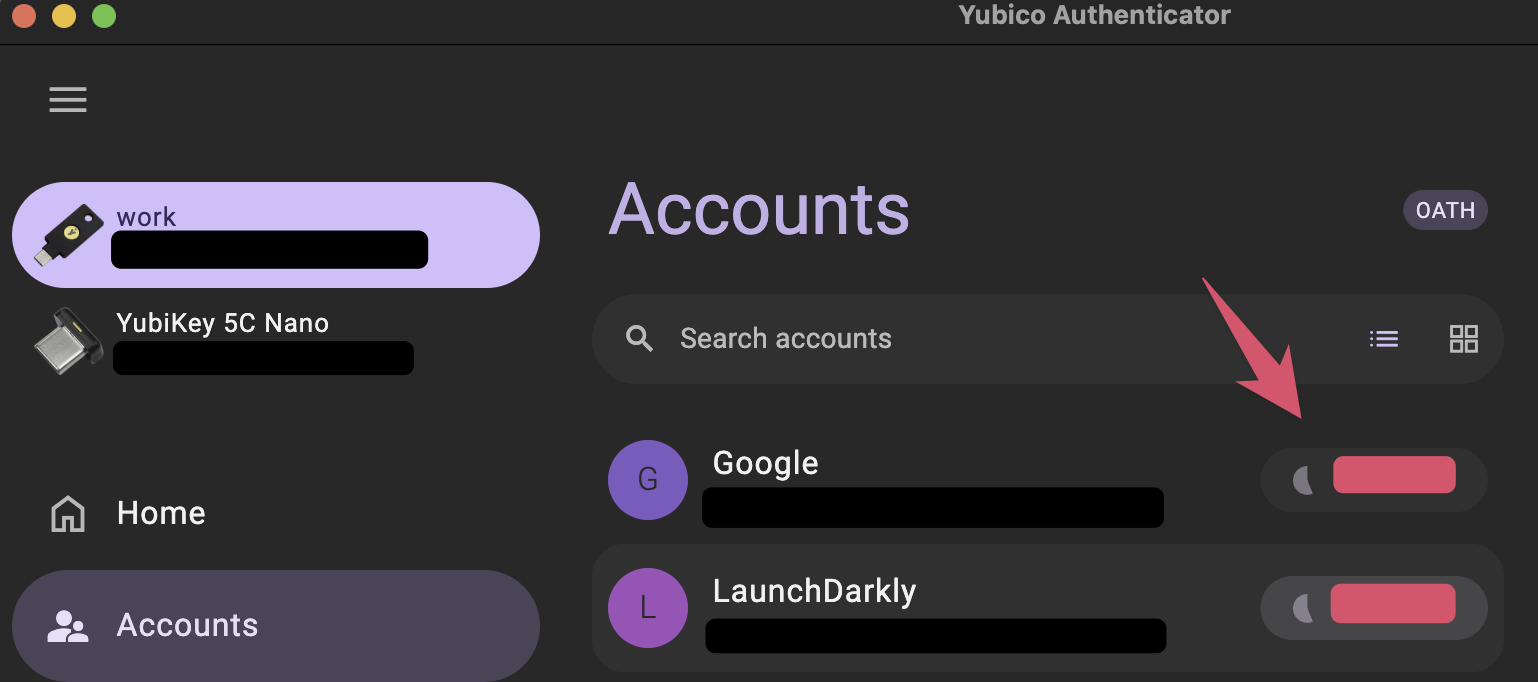
I did some quick looking into this and can you not add TOTP to the YubiKeys through the FOSS YubiKey Authenticator app?
This hopefully doesn’t happen every day but even if it does, they will still need to have some other things to access your account.
Moreover, most websites do have verification regarding a new IP so you will never have the situation where stealing your hardware key grants access to everything of yours. It is still usually additive and not the only way.
If you do have some cloud sync, you’re not really loosing the data ever.
If you do the sync yourself, it could be always available on a server/NAS of some sort.
Moreover, if your threat model is such I suppose you need to consider having one of your devices stored in a safe place at all time and is more of a physical compromise/backup/redundancy concern rather than MFA.
Wouldn’t recommend this one.
Yubikeys have the edge of:
phishing resistance (unlike TOTP where you could just type the code into a fake input text)
doesn’t need to have a battery to work
less prone to being stolen (most people might not known what those are even used for) unlike a phone that looks more appealing/resell-able
it cannot be compromised unlike your phone with it being a keylogger or any other kind of malicious apps running on it
less friction (subjective take)
None of those might apply to you but I personally do see a lot of value in them.
You can do such a thing yes but it is meanwhile not FOSS
Perhaps so. I suppose for me it is somewhat blended together since a hardware key could serve both roles. But yes, I’m trying to find a solution that gives me MFA that also has backups I am sure I can always use to access any accounts even if I lose all of my devices (which is the core issue).
Is this source not corresponding to those apps? I think there is a link from this page to the dev page to the downloads page you linked.
Develop a robust backup/recovery method that works for you. This might be something like:
A Keepass database of passwords and TOTP keys (generating codes) that a family member or friend holds for you. You keep the password though.
a key password and recovery code shoved or written into a book on your bookshelf, on the back of a picture, or something in your residence that opens up a recent password backup file.
 ).
).