" * Private browsing modes: Allow users to visit a site with a clean storage area, but require perfection to prevent unwanted first-party reidentification. If Khen (from the previous example) forgets to use a private window just once, and mistakenly logs into his second email account in a normal window, the email provider will be able to link the two email accounts, indefinitely and irreversibly."
I think there’s a miss understanding, i use containers to isolate cookies, not as a temporary way for browsing
Yes, I was struggling with the limited icons and colors 
May I ask what the use case for profiles are when you use a container for pretty much any website you visit?
I don’t keep any history, but do you have 2 sets of settings/extensions?
You can. And you can have it turned on by default even and just whitelist websites you want to keep.
I like to keep different parts of my life separate, which is why I have 2 profiles. Most of the extensions I keep in both are the same, but the bookmarks are like 40 to 60% different.
A long time ago, there was a browser extension called XMarks, which allowed you to synchronize your bookmarks across browsers. One cool feature they had is that you could set different profiles with your XMarks account. Meaning that within the same browser profile, I could switch Xmarks to my work profile, and it would replace all my personal bookmarks with my work bookmarks.
With the ability to switch bookmarks whenever I wanted, I didn’t need a browser profile. However, Xmarks was discontinued after LastPass acquired them, and I have not been able to find a replacement that does the same thing, which sucks.
There are many websites that I use regularly, and I can’t have too many bookmarks, hence the use of profiles. That being said, even if Xmarks still existed, I find it useful to have separate browser profiles. I use my 2 profiles every day simultaneously, meaning that I have 2 windows from 2 different profiles open almost all the time. Profiles are a feature that I hope note-taking apps like Notesnook will implement too.
Slight thread detour. Your description sounds quite similar to floccus. Give it a look. I’ve been using it for over a year for my browser bookmarks and tab backups. It’s made by one of the NextCloud employees.
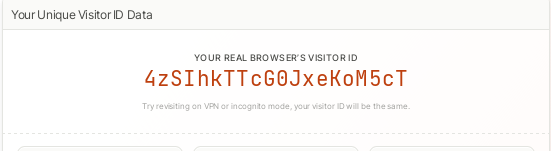
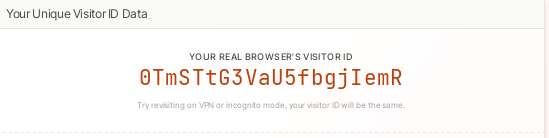
Check out Demo | Fingerprint Demo . I tested Brave, Librewolf, and Mullvad against it, and it broke anti-fingerprinting. The only thing that works against it are the Canvasblocker and Chameleon addons set at max, and that will cause problems, like more CPU usage and some sites loading slower or breaking (e.g., the Cloudflare warning shows up and loops). To avoid breakage, you have to exclude some sites in Chameleon.
Given that, multi-account containers in Firefox are helpful. Being able to use more than one login account for various sites is a bonus.
Dont use extententions like chameleon or canvas blocker. Mullvad Browser with a good vpn is enough . I have tested it myself . Everytime you change the ip address and reopen the browser the fingerprint changes.
And i repeat stop using these bogus extensions they serve absolutely no purpose other than making you stand out more completely defeating the whole purpose of trying to beat fingerprinting in the first place
Mullvad and Librewolf don’t work against the tech I shared. Neither does Brave. Only a combination of Chameleon and Canvasblocker did. See for yourself.
Also, it costs money to use a VPN.
That’s why I think the best that one can do is to use multi-account containers.
You are doing nothing by using these addons.
You do realize that fingerprint.com is trying to sell a service and is amplifying its results in non real world relevant ways to sell their service.
Hey, I’ve been looking forward to this feature for ages—so glad it’s finally here!
Right now on Brave Beta, it’s up and running but turned off by default.
It’s called #containers, which is pretty straightforward.
The tricky part is, there’s no clear way to tell if a tab is actually using a different container or not. I gave it a try, and after clicking “open as container X,” you can’t really see if the new tab is in a separate container—there’s no visual cue in the interface. So it still feels a bit unfinished, at least for the UI.
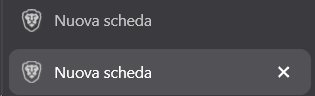
For now, the best workaround I’ve found is to use different tab groups for each container. That way, you can truly organize and label them with names and colors, keeping tabs from different containers separate. It’s the simplest fix I could think of, assuming the feature is actually working behind the scenes.
What’s your thoughts about this?
Let’s hope they finish refining this feature soon, it’s 2026 already.
I just realized there’s a bunch of opens issues related to containers if someone is curious or want to contribute: GitHub · Where software is built
Thanks for the heads up! I just tried it out and I’m honestly so hyped that this is finally live!
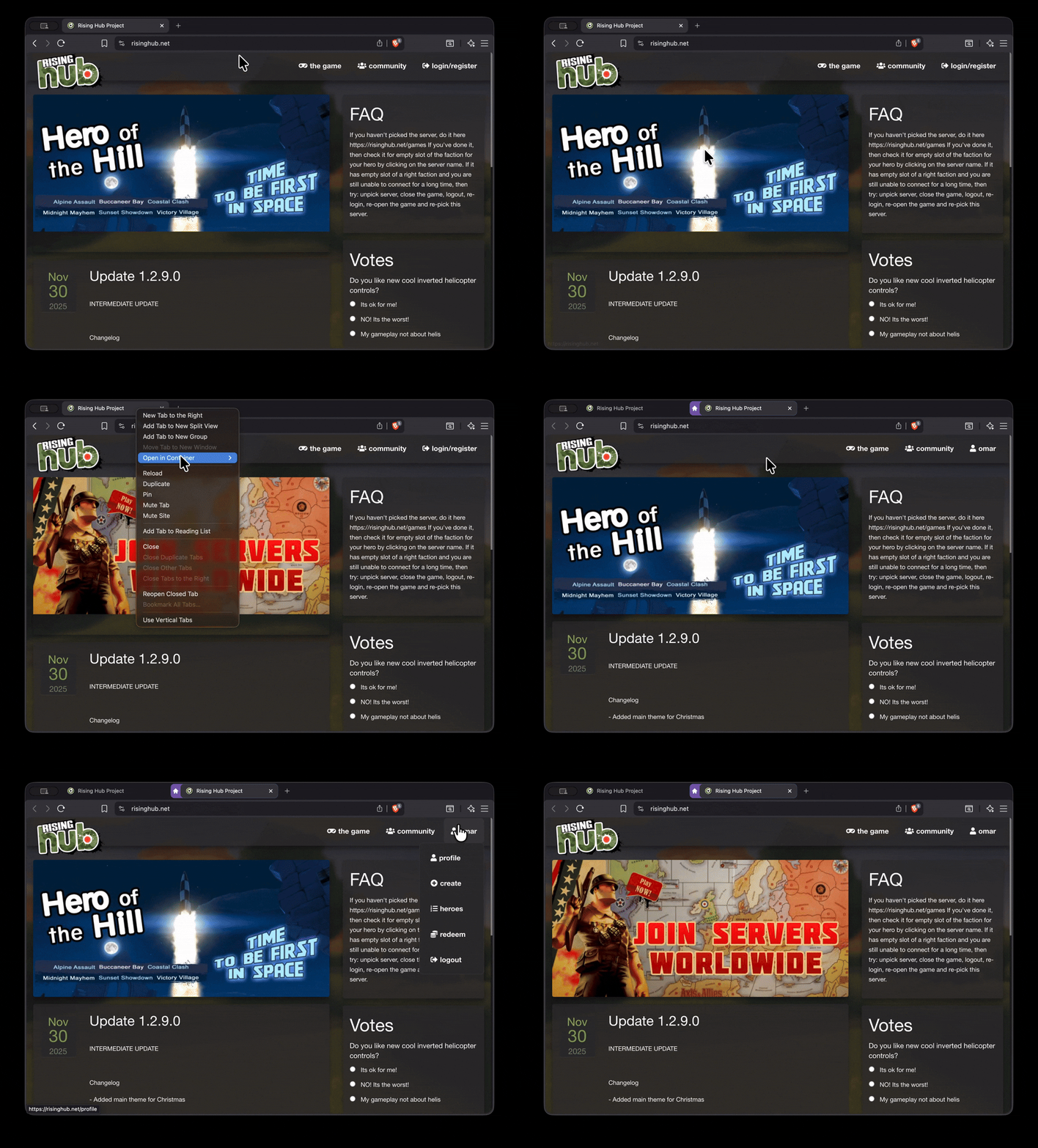
Interestingly, I’m running the Nightly build (not Beta), and I didn’t actually face the UI issue you mentioned. On my end, the visual cues for the containers are showing up perfectly! It’s possible they’ve already pushed a fix to the Nightly version.
As you can see in the GIF, it’s looking solid. This is a massive milestone and a huge leap forward for Brave. I’m really excited to see them finally nailing this feature!
10 posts were merged into an existing topic: Wish for “clean” Brave Browser
Wow, it looks cool! Thanks for the insight from the Nightly!
This means that one of the next Beta features will be Container refinement, this is great!
I can’t wait for it 
One more time: when I use Brave, Mullvad, and Librewolf on the site, the ID remains the same. That means anti-fingerprinting from the three don’t work against it. The only thing that does, except for using a VPN, is to use the two addons I mentioned. If you don’t believe me, then see for yourself.
Of course, it’s trying to sell a service, but the point is whether or not you can counter that service. And more websites will likely be using it soon.
Just because you get the same ID does not mean you are being uniquely identified.
You cannot prevent fingerprinting without hiding your IP.
Commercial demos are designed to look impressive. If you visit a demo website twice in one minute from the same IP address, their server can “guess” you are the same person, even if Brave has changed the browser’s website-visible attributes. In the real world, this fingerprinting method is much less effective. As time passes or you move to a different Wi-Fi network (or use a good VPN such as Brave VPN), these server-side guesses fail. These issues are amplified on larger platforms and websites. Our research with privacy browser peers shows that these services have an extremely high false-positive rate, meaning that instead of uniquely identifying you, they are incorrectly lumping you together with many other Brave users.
https://github.com/brave/brave-browser/wiki/Fingerprinting-Protections#demo-vs-real-life
Edit:
CanvasBlocker is redundant when you have FPP/RFP or Brave Shields.
Chameleon does nothing, or at worst makes you stick out. It does not make sense to hide your browser, version, or OS when the actual values can still be detected.
The containers feature has been working well for me for a bit. It isn’t perfect but I realise they are just refining it right now.
For example, you can’t assign a container to a tab group yet, so each tab has to be done individually. And I haven’t yet found a way to assign a website to a container, in other words a sign a rule to to twitter to always open in the twitter container, so you still have to do each one manually
I’m sure this will be refined over time but right now they do work and you can see which ones are in which containers easily
That’s the point of the ID. You can find out more details by looking at the explanation in the site.
VPN is too slow, and you have to pay. Also, this contradicts what Brave said. They claim you just need Brave.
The only way to counter Fingerprint is to use paid browsers or the process I explained earlier. And that process breaks some sites and slows down browsing.
Brave gave a weird take on them. They wrote,
“Brave actively blocks network requests to fingerprint.com’s domains and other known fingerprinting services as part of our broader anti-tracking features. This is in addition to the best-in-class fingerprinting protections described on this page.”
And yet they couldn’t counter it. Instead, they want us to go to a “non-biased” site. What the….