What do you mean here?
Configured what?
Once you have an alias service in place, you don’t really need to do anything when it comes down to a reply, it will forward it for you without any possible mistakes.
The danger is when you want to write an email to someone first, there you need to be careful of not using your email provider and typing in the place you want to reach in the input field but rather: go into your alias service, type the email of the person there, then use that as your starting point in your email client.
Let’s take a quick example with Proton + Addy combo[1] with the following specs:
- your personal private email is
grapeg@proton.me - you want to buy something from
store@fancy.com
Hence, it shouldn’t be 
From: grapeg@proton.me
To: store@fancy.com
and on the reply side
From: store@fancy.com
To: grapeg@proton.me
but rather 
From: grapeg@proton.me
To: mmonium.purity671+store=fancy.com@addy.to
and the reply you’ll get back is as following
From: mmonium.purity671+store=fancy.com@addy.to
To: mmonium.purity671@addy.to
then of course, Addy will forward the email received
mmonium.purity671@addy.to → grapeg@proton.me
Hence, only Addy will know where you’re sending your emails from (your Proton) and to (the fancy store).
This is the step to not miss if you’re the one initiating the email.
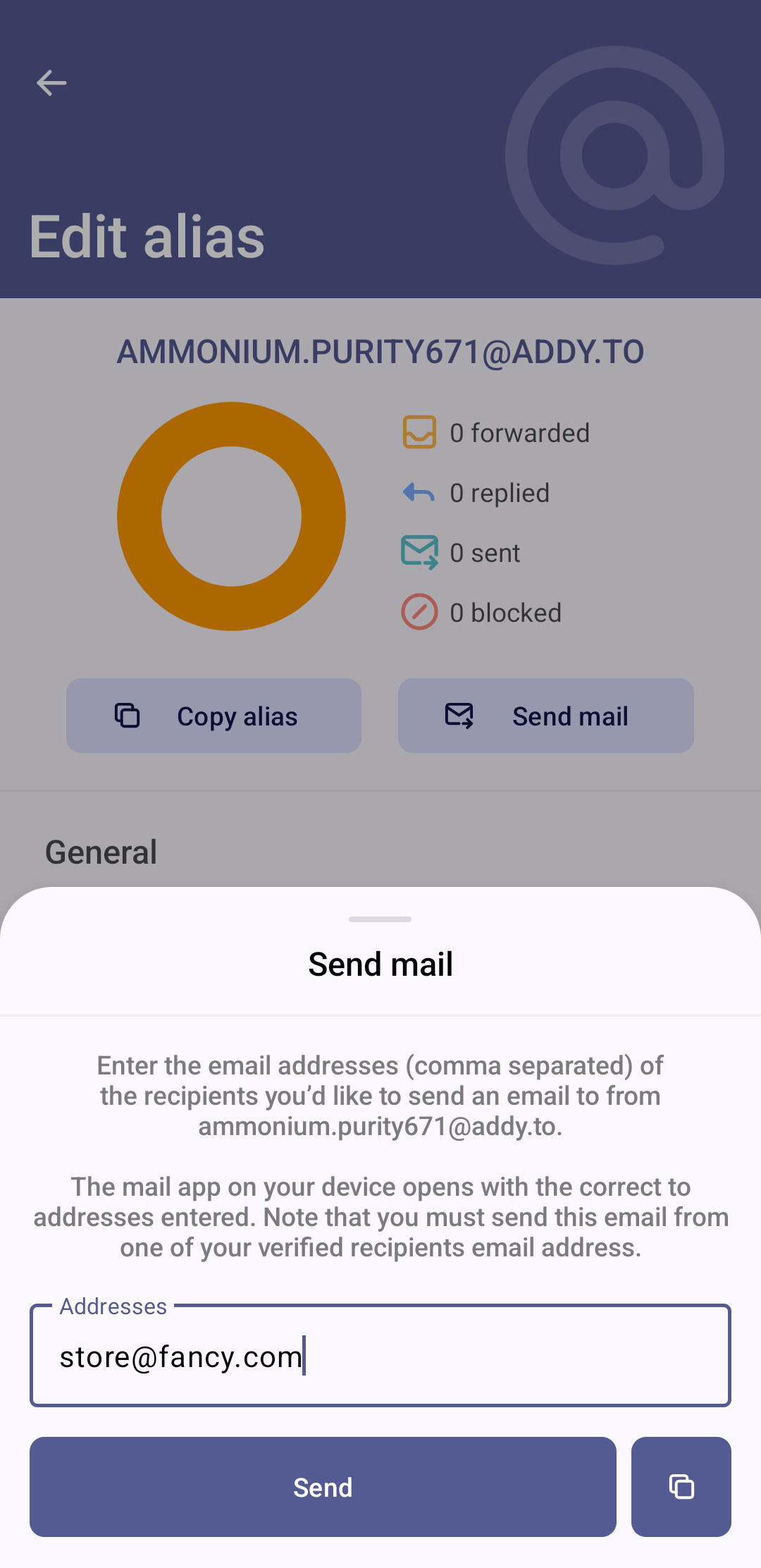
In practice, it’s not that bad because Addy will do the concatenation of strings and once done for that specific company, it will then be transparent and you can reply further without needing those steps no more.
Group discussion side quest
Side note from personal experience, if you’re part of a discussion group by email where an email goes to 12 people. If you did your job right and gave an alias for the sender of this grouped email, you will be very (happily) surprised seeing that all the CC emails are all properly aliased.
Yet, you can be confused and have a hard time recognizing every person in that email group depending on how well the aliasing is done.
Spoiler: SimpleLogin does a very poorly job there. 
Hopefully, you can still recognize who’s talking with their style or their signature.
The flow of just receiving first is overall “less dangerous” because you just paste the freshly created alias into a text input rather than doing the entire danse with your alias + email.
But overall, the tools still kinda make it easy enough by forwarding/copying/opening the apps for you. Still, might be a head scratcher, scary and confusing at first.
You might also make a few mistakes figuring all of that out in the first place, hopefully you realize the damage early on and can minimize the spread of your personal email. 
There are definitely layers of complexity if you use Proton aliases.
Those are not aliases in the sense of alias service like Addy/SimpleLogin but those are additional Proton email addresses, hence something like:
As seen here
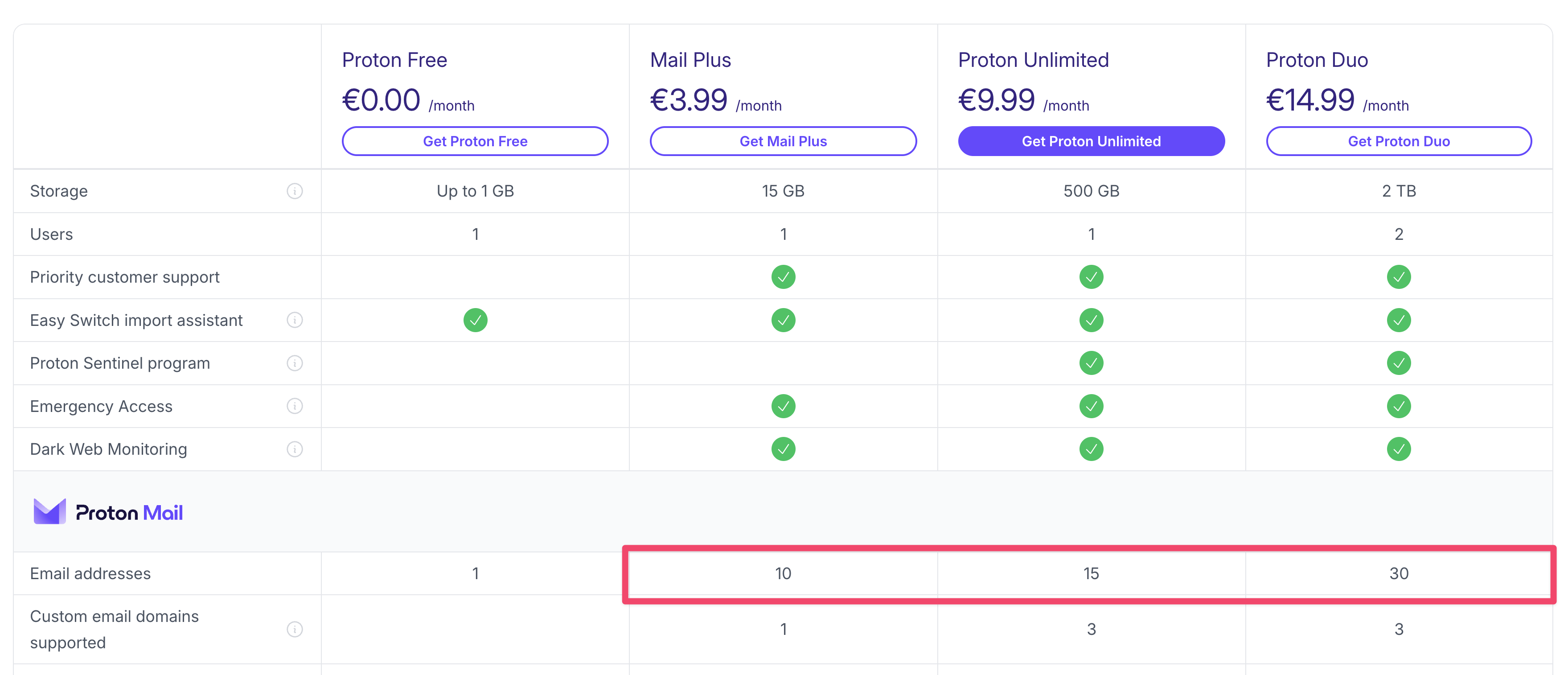
Hence both
grapeg and super.graaaap are “hosted” under the same paid Proton email account and can be accessed with either on the login page.
For those use cases (and if you have a custom domain for example), you could then maybe look into adding some rules to not make mistakes while initiating an email?
Not sure it’s the email service’s job to do that.
Good news is: both Addy and SimpleLogin allow you to kinda allow/block-list those based on their own ways.
Addy’s rules look like that
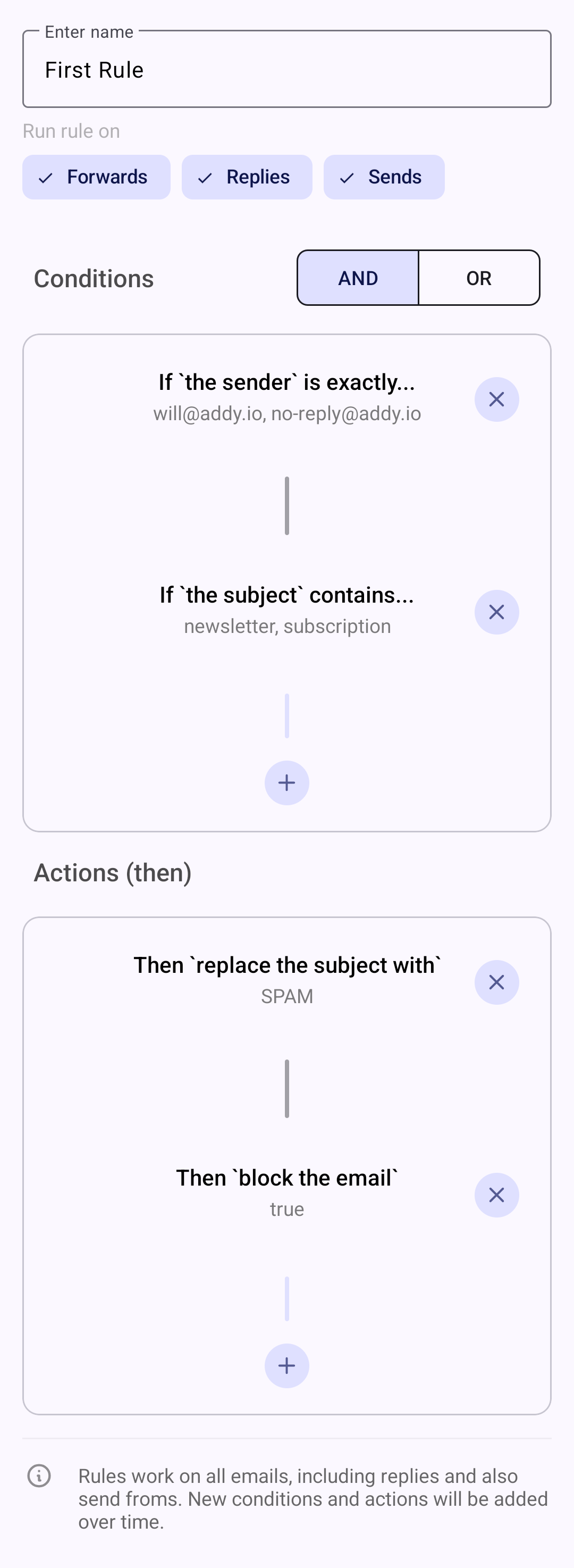
Now, I myself never had to use such a thing because as said above, it’s not needed to have a workflow of:
- receiving from a company first
- sending an email first to a company
Those are more of where should I forward from the alias to which inbox as in the example above
mmonium.purity671@addy.to → grapeg@proton.me
where you could be a power user and have some fancy rules if you’re running an empire of fast paced emails sent from anonymous aliases. 
I meanwhile do strongly recommend using your own personal email’s capabilities to sort/filter/move some emails into dedicated folders so that (for example):
- you know where your expenses are located when receiving a receipt you care about
- don’t get notified from endless stuff like hourly notifications about services that insist sending you 10 emails for each action
- have that annoying website that you don’t want to disable the alias for those rare times you need an info from them, yet don’t want to hear about their constant yapping about their latest and greatest products

I know it’s a lot to wrap your head around but I hope that the explanations + screenshots helped. 
it can of course be done with SimpleLogin and Tuta etc, mix and match your favorites here
 ↩︎
↩︎