AliasVault: Open-Source E2EE Password & (Email) Alias Manager

Hi all,

Happy to share that the next update: AliasVault release 0.29.0, is now available!

This release makes it significantly easier to switch to AliasVault by introducing support for importing full vault archives (including attachments and custom fields) from other popular password managers. It also improves the autofill experience across mobile and browser.

In addition, this update brings more flexibility and control for self-hosted deployments that have been proposed by the community, alongside a range of other usability improvements and bug fixes across the apps.

Website: https://www.aliasvault.net/
GitHub: GitHub - aliasvault/aliasvault: Privacy-first password manager with built-in email aliasing. Fully encrypted and self-hostable. · GitHub
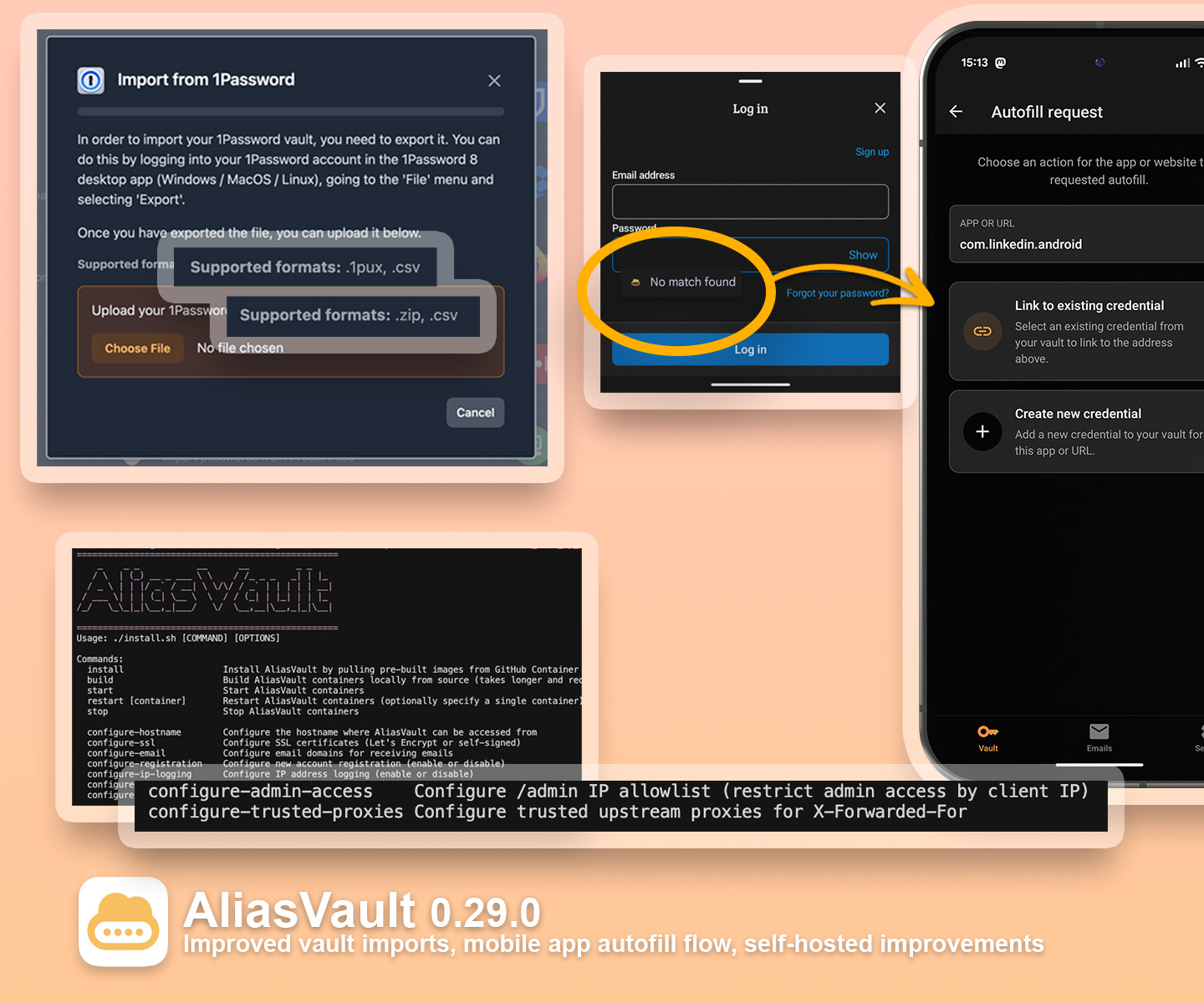
  • Import full vault archives (including attachments and custom fields) from 1Password, Bitwarden and Proton Pass, making it much easier to migrate to AliasVault. Improved mobile autofill: when no match is found, you’re now prompted to link a URL/app to an existing credential.

  • Improved browser extension autofill form field detection and 2FA autofill flow.

  • Improved iOS clipboard: allow to choose between local clipboard and Universal Clipboard

  • New self-hosting controls, including custom proxy headers support in the mobile apps, trusted proxies configuration, IP-based /admin access restrictions, account registration rate limiting and configurable upload size limits.

  • Better overall UX with updates to item filtering, icons, credit card display, delete flows.

  • Fixed multiple reported bugs

You can find the full changelog of this release here: https://www.aliasvault.net/news/aliasvault-0.29.0-released

8 Likes

Where in the roadmap is better email management? Is that coming up or still ways to go?

Thanks for your comment! Yes better email management features such as bulk management, push notifications, replying and similar improvements are still planned.

Right now though, the main focus is still on the core vault features, with vault/password sharing being one of the biggest upcoming features with the most impact. But there are still many more planned features and improvements on the roadmap.

Which email management features are you most looking towards?

  1. Better email view (of the content)
  2. The standard options and things you can do with emails - reply, archive, ability to change name associated with each email when corresponding,
  3. Other things people in this thread have already asked/shared

I’m sure you already have a list for this on your end so just those things for now.

2 Likes

I’ve been using it for almost a year and I love it!

Is there any way I can mass select login/alias to move them to a folder in bulk?

And I have a question regarding the email in AliasVault. I’m currently using the domain @aliasvault.net exclusively. Is it correct that if someone enter the same email address I’ve used, they will be able to access the mails? For example, if I created unseen@aliasvault.net, can someone use the same email address unseen@aliasvault in their AliasVault account?

Hi, happy to hear you’ve been using AliasVault for such a long time already!

Is there any way I can mass select login/alias to move them to a folder in bulk?

It’s not possible yet, but bulk operations on login and email items is a feature that’s being actively worked on and will be added in one of the next releases to all apps :slight_smile:. Likely within 2 weeks or so.

Is it correct that if someone enter the same email address I’ve used, they will be able to access the mails? For example, if I created unseen@aliasvault.net, can someone use the same email address unseen@aliasvault in their AliasVault account?

AliasVault’s private email addresses (@aliasvault.net for the cloud-hosted server) are cryptographically tied to the user that first claimed it. All email that is received for that alias is encrypted with the specific user’s encryption key, and so can only be read by that user. So in your example, if somebody else would try to re-claim an already used private email address, they will get to see an error that this email alias has already been claimed and cannot access it. Email claims are permanent, so even if you disable an alias (e.g. delete it), others still won’t be able to re-use it.

6 Likes

Thank you very much for your timely reply! That is reassuring. I think it would be great to add what you just explained to a small section (or a FAQ), somewhere users can easily see or find for those who wonder the same thing.

1 Like

Hi everyone,

I’m back to share with you a new update: AliasVault release 0.30.0, is now available!

This release now adds support for generating passphrases (based on word dictionaries) in addition to random-character passwords in all AliasVault apps. This has been one of the most upvoted feature requests on GitHub.

We also updated a lot of things behind the scenes in the last couple of weeks: we revamped our self-hosted docs website to be more accessible and user friendly. We also moved our official website and communications to aliasvault.com, after recently acquiring this domain. User email aliases continue to use @aliasvault.net, creating a more clear distinction between official AliasVault team/support addresses (.com) and user-generated aliases (.net).

Finally, we’re also hard at work on making the sync mechanism and datamodel more efficient. The work on this is well underway and will significantly improve vault synchronization speed across all apps once ready. These upcoming improvements will enable us to introduce vault sharing as well. Stay tuned!

Website: https://www.aliasvault.com/
GitHub: https://github.com/aliasvault/aliasvault

  • Generate secure passphrases based on Diceware word lists (languages supported from this first release: English, Dutch, German, Italian, French, Spanish)

  • Browser extension improvements: better highlighting of credentials matching the current website, streamlined autofill flow for creating new credentials and email aliases, better passkey compatibility across more websites, password generator settings are now configurable directly from the extension, bringing it in line with the web and mobile apps.

  • Performance and reliability improvements

  • Self-hosting improvements: fully revamped docs website (docs.aliasvault.com) focusing on readability.

You can find the full changelog of this release here: https://www.aliasvault.com/news/aliasvault-0.30.0-released

8 Likes

Still going strong, I see! :raising_hands:

I have one little nag: The default Ctrl+Shift+L keyboard shortcut by itself is great, but happens to be equal to the Bitwarden shortcut. So when using browser extensions for both, it doesn’t always lead to the desired behavior. I realize there is a straightforward way to fix this :wink:, but apart from fully migrating to AliasVault, it would be nice to be able to choose a different letter.
Cheers!

1 Like

Thanks for your comment :slight_smile:

I have one little nag: The default Ctrl+Shift+L keyboard shortcut by itself is great, but happens to be equal to the Bitwarden shortcut. So when using browser extensions for both, it doesn’t always lead to the desired behavior.

Yes the keyboard shortcut that AliasVault uses for triggering the autofill popup is indeed the same as Bitwarden’s, this was done by popular request for people who have fully switched and want to reuse the same muscle memory by default.

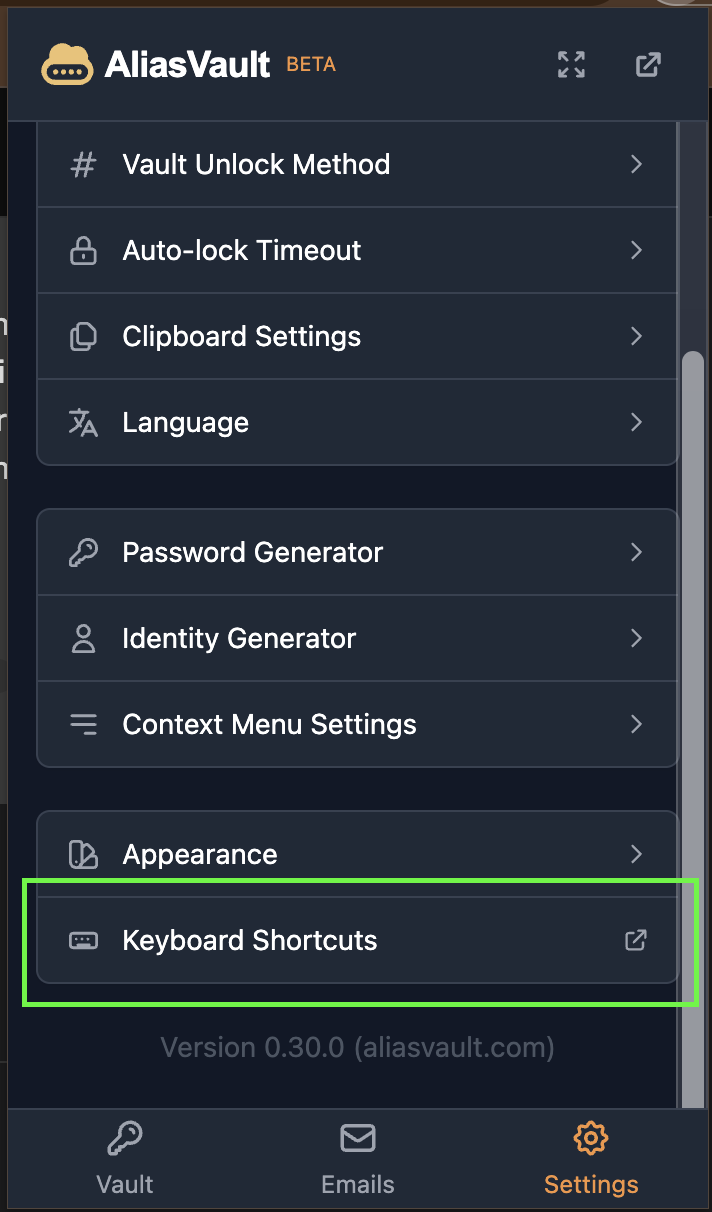
You can however override the keyboard shortcut via the settings in the browser extension. You can choose another shortcut or disable it entirely if you want. See screenshot below:

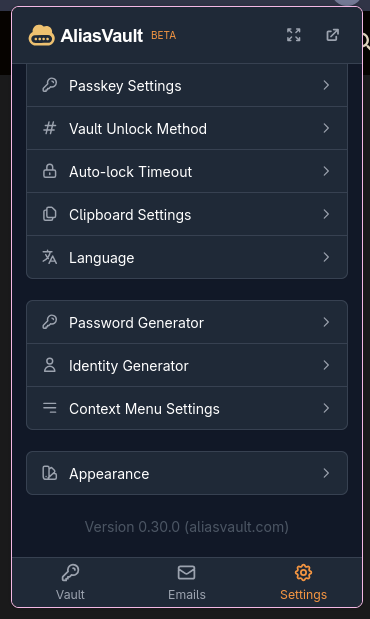
I was suprised I couldn’t find this option anywhere. Thanks for pointing it out, however… it seems to be hiding from me (this screenshot is from FireDragon running on Garuda linux Cosmic).

Gotcha, this might be a specific browser support thing and an oversight. Firefox based browsers indeed work a bit different with customizing shortcuts. I’ll look into it, thanks for pointing it out!

@lanedirt hi there! As someone who is pretty happy with Bitwarden, I was wondering what things AliasVault may offer that would he interesting to switch over. I’m curious, but migrating is non zero effort.

Hi! AliasVault can be an interesting alternative if you want passwords, email aliases, and identity generation in one privacy-focused, open-source, EU-based, and easily self-hostable app.

Migration always takes a bit of effort indeed, however we made the import process as simple as possible. You can export your Bitwarden vault to a .zip, then import that in AliasVault in just a few clicks. All items, custom fields, attachments etc. will be automatically imported. (The only thing that is not imported automatically as of yet are passkeys, reason for that is that passkeys are hard to migrate by-design, and currently requires implementation of a generic standard on both the export and import side. But we’re working on this as well!)

1 Like

Does aliasvault have any venture capital investments behind it @lanedirt ?

@Niek-de-Wilde No external investors, AliasVault is entirely self-funded and proudly independent. :slight_smile:

5 Likes

Well in that case @overdrawn98901 can add that to the list of reasons to migrate :slight_smile: .

2 Likes

Really love your mission and appreciate your ongoing updates in here. I’m sorry if this has already been mentioned and I’ve missed it, but could you speak to what the basis of your self-funding is and whether you consider it sustainable at length?

Hi @pine, thanks, appreciate the thoughtful question! Happy to share some additional context:

AliasVault is entirely self-funded by me and my partner, without external investors or venture capital. The funding comes from a combination of personal investment, some freelance work I still do alongside AliasVault, community donations, and keeping our costs low on purpose: small team, efficient infrastructure, and no unnecessary overhead.

On a personal level, I build AliasVault because I believe it can genuinely help people and be a net positive. To me that comes first; money comes second. The goal is not to chase growth at the expense of users. But really to build something useful for as many people as possible.

For context, I have also been running SpamOK.com as a free privacy-focused service for over 13 years since 2013. It has been running without as much as a single day of downtime, and I have kept that fully free simply because I’m proud of what it provides, and because I believe useful privacy tools should exist and remain accessible.

When AliasVault v1.0 launches (goal end of this year), the plan is to do introduce optional paid cloud features, such as Premium and Family plans, to help sustain the hosted service and ongoing development over time. AliasVault Cloud does require ongoing time and money to operate, especially as more users sign up. Other than hosting and redundant infrastructure, there is also a significant amount of work involved in security, maintenance, support, and continued development.

The aim is also to complete an external security audit by the end of this year, which is a considerable expense on it’s own, but has already been taken into account as well.

I’m also proud and grateful to all the people who have donated to the AliasVault project so far via buymeacoffee and opencollective, which really helps a lot too!

7 Likes

Hi @autfernandez1987, happy to share that with the latest 0.30.1 bugfix release (published yesterday), the keyboard shortcuts link should now also show up in both Firefox (and Safari). Thanks again for the report!

1 Like